For “my version” of the script, please go to github and download the new-api-branch of the script.
The link is in the following post:
Unfortunately, I haven’t properly updated the README yet for that branch. But it would need to contain something like this:
Installation
Requires Python 3 (and Portfolio Performance).
Steps:
-
download this repository from github (aka:
git clonethis repository) -
run
pip3 install -r requirements.txtin the install directory -
test the script by running:
python portfolio-classifier.py test/multifaktortest.xml -stocksin the install directory. Then open the resulting filepp_classified.xmlin Portfolio Performance.
Note: You might want to install and run this in a Python virtual environment. Make sure you have venv installed and cd to the install directory. Run python -m venv ppc-env (ppc-env is then the name of the new virtual environment). Run source ppc-env/bin/activate to enter the virtual environment. Run pip3 install -r requirements.txt (as in step 2 above). Use the script (as e.g. in step 3 above). When done, exit the virtual environment with deactivate.
Command Line Parameters
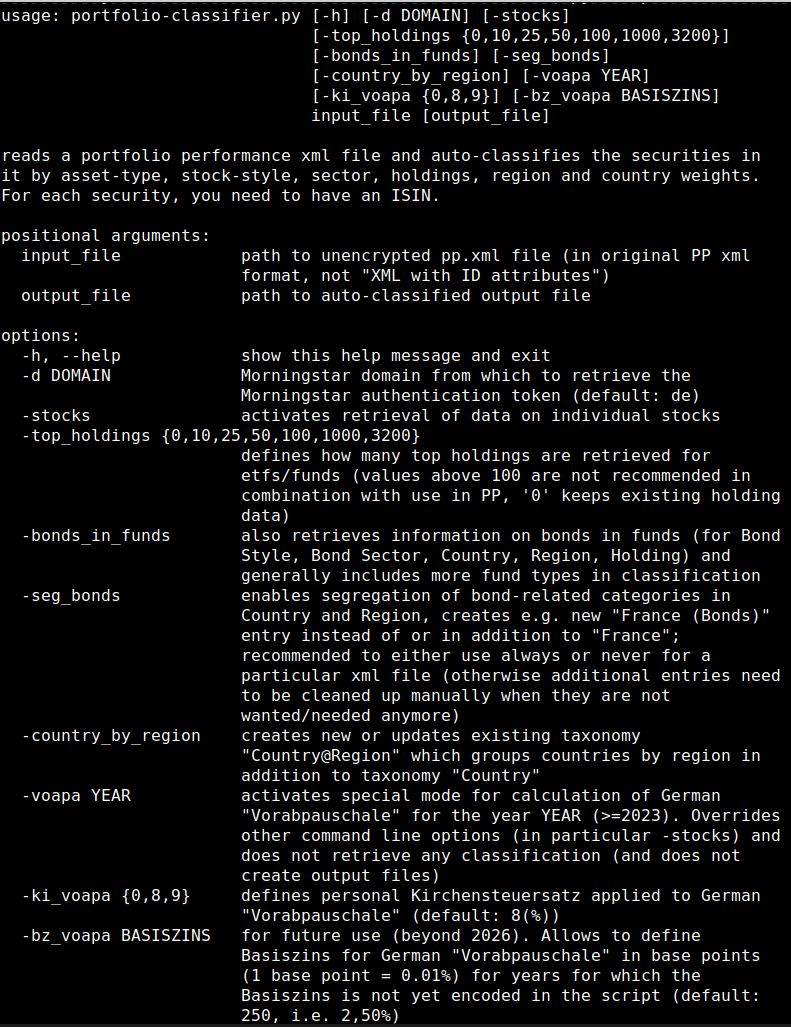
For the most recent set of command line parameters run: python portfolio-classifier.py -h
Here is what you will get:
And then please read the “How it works” chapter in the existing README.
Hope that helps.
(And if you would like to have some pre-defined colours for the taxonomies, have a look at the files in pp-portfolio-classifier/docs/taxonomy-json-templates/ and use e.g. AllTaxonomies.json. Best before even running the script for the first time).