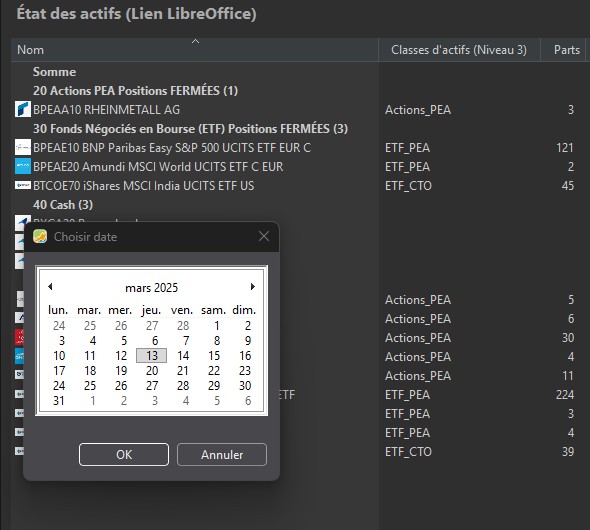
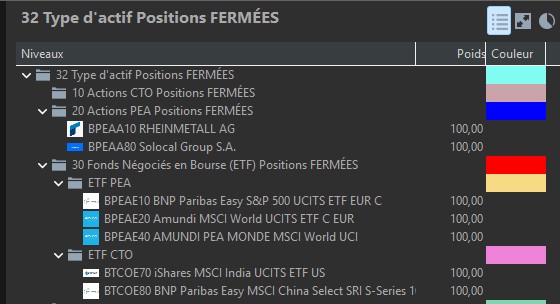
I am on the “Asset Status” menu and I activate the “Asset Type Closed Positions” taxonomy;
I deliberately set the date to March 13, 2025, because I had not sold anything on that date. I am therefore surprised that Rheinmetall appears in the closed positions when it was not sold on March 13 but will only be sold on March 14.
Furthermore, the other assets (ETFs) appear in the closed positions even though they too will only be sold much later.
One last point I just noticed: I sold a position in May 2024 that does not appear in “Closed Positions” even though it should.
The name that you give to a taxonomy does not impact the date of the sale.
If the Rheinmetal share is sold on March 14 2025, then of course the Statement of Assets at date March 13 2025 will show it in your portfolio because it is not yet sold in this date. Whatever the name you give to the taxonomy.
Statement of Assets = listing of your position at a given date.
Taxonomy = classification/group as per named category.
You decided to put Rheinmetal stock into “Action Pea Position fermée” category, as such it will always appear under this category as long as you have it in your portfolio. And it will disappear of the Statement of Assets once sold.
You can give the taxonomy the name “Action PEA +1000% profit” name, it will not force the Statement of Assets to show your stock has made +1000%..
Compared to my first screenshot on March 13, Rheinmetall is in the portfolio, so it is displayed as OK. Of the five ETFs divided between PEA and CTO, only three are displayed. Why are Amundi PEA Monde and BNP Parisbas MSCI China, which are in the portfolio on that date, not displayed?
Another point, which I believe is more important. As the system works in a binary way, either present or absent, my taxonomy is clearly useless. So my question is: Is there a way to obtain the desired result, i.e., the status of closed positions after they have been realized?
It’s clear that this brief exchange has made my evening It’s obvious, Veterini, that you know how to use this tool and I thank you warmly for this VERY USEFUL information.
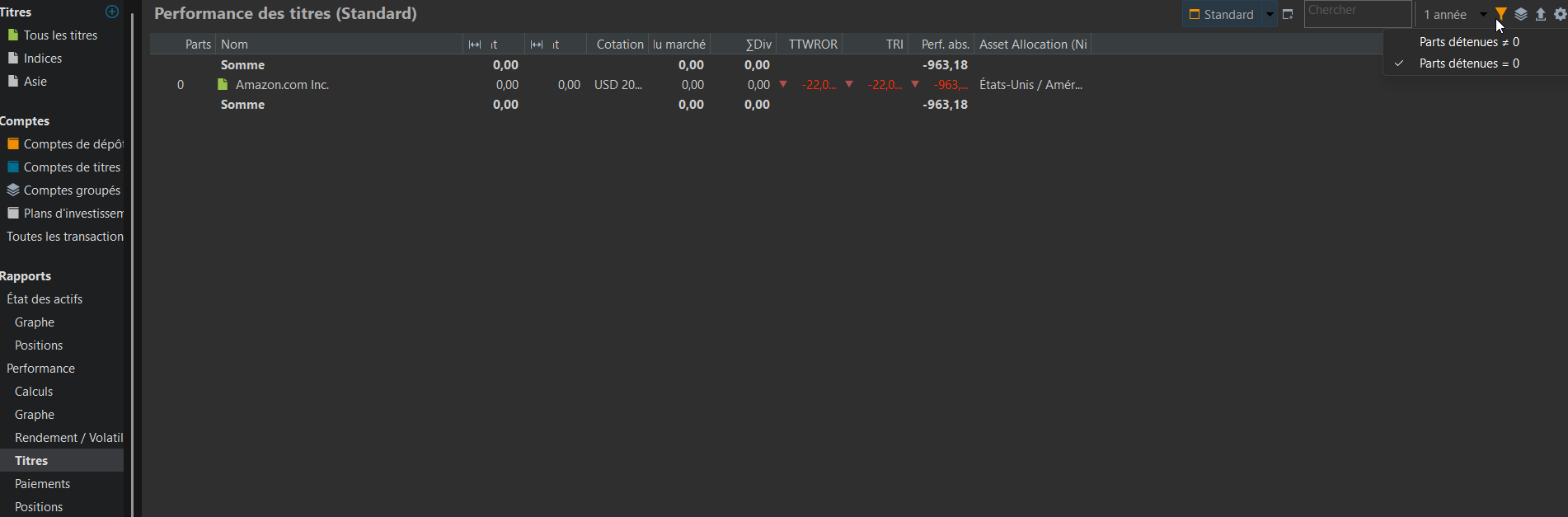
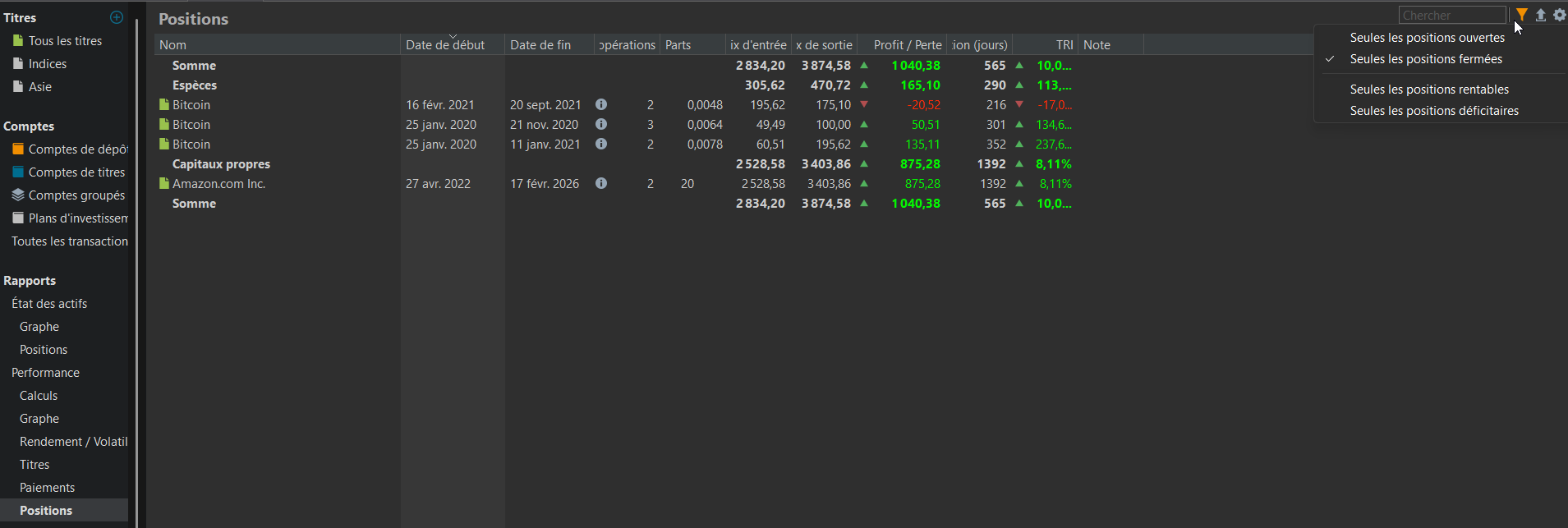
1. I had never consulted these filters in “Securities” and “Positions” before, which was a mistake because they solve with a single click a simple problem that I had been struggling to find a solution for…
The solution with “Securities” does not give the TRI and TTWROR results on the “Sum” line, but it groups together on the same line the shares sold on different dates.
The solution with “Positions” gives the TRI and TTWROR results on the “Sum” line, but does not group together the sales transactions for the same share.
The combination of the two methods meets my expectations, at least, with the possibility of exporting to CSV.
You tell me that this comes from a kommer file. Do you know if it is possible to view it?
2° Regarding the activation of the “Closed Positions” taxonomy, you are right. I thought I was sure, but after checking, it comes down to a few days, but these ETFs were not in the portfolio on March 13, 2025.
PP is a big, awesome Rubik’s Cube that takes time to master, and today I took a big step forward
 It’s obvious, Veterini, that you know how to use this tool
  and I thank you warmly for this VERY USEFUL information.