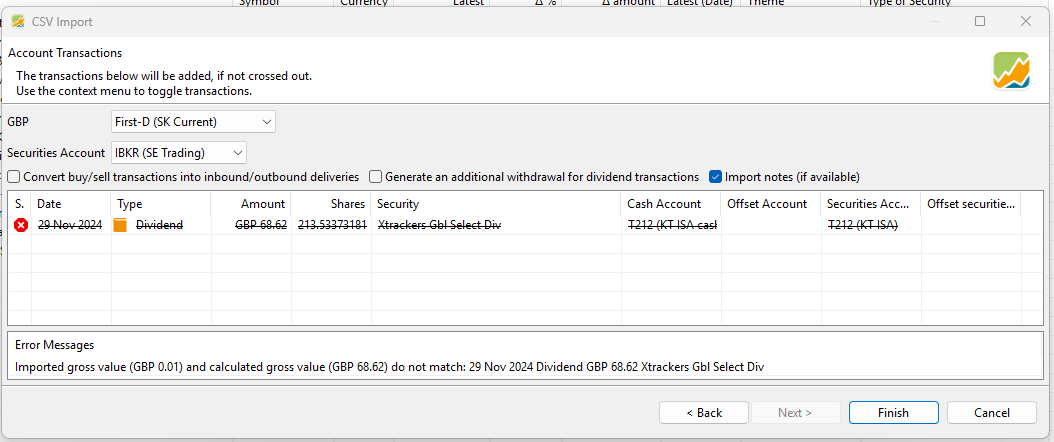
I get this error message after importing a .csv file with dividends:
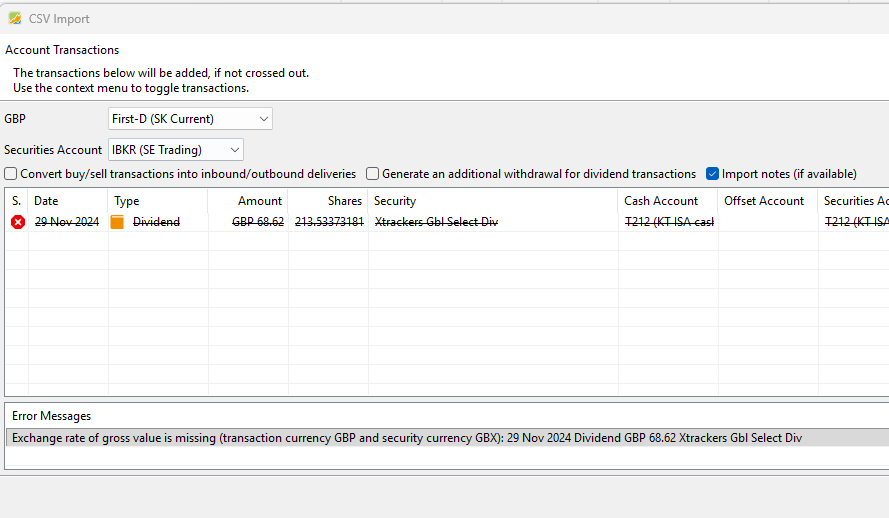
How do I enter the Exchange rate of gross value? There does not seem to be a field to map to in the previous screen.
see “4. Account Transactions import”
I’ve read this a hundred times and I can’t see where I am going wrong. I can see a field for ‘Exchange Rate’ (which is filled in), but not for ‘Exchange rate of gross value’ that the error message refers to.
Please show the content of your csv-file.
Perhaps the problem arises because the transaction currency GBP is not the same as the security currency GBX.
So I changed the dividend values in the csv to GBX, and imported this to PP:
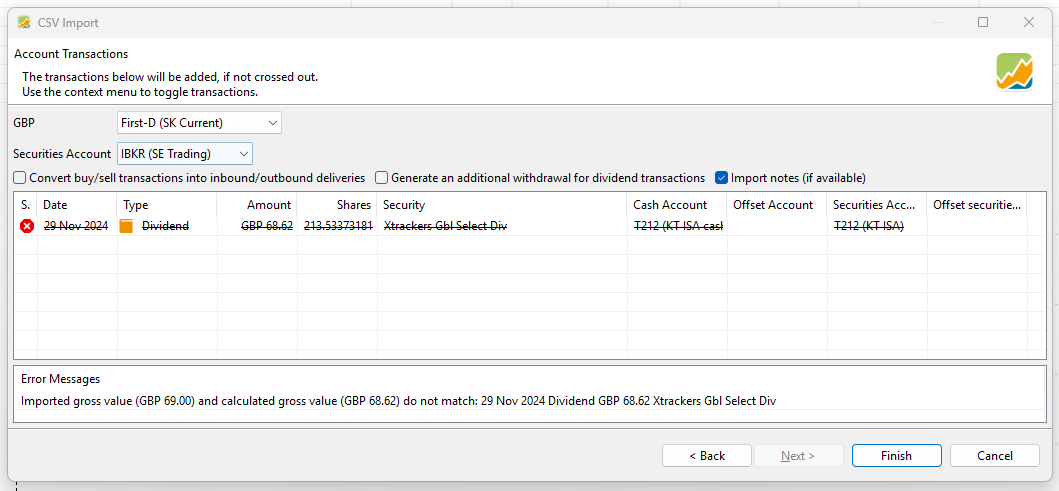
I now get this error message:
First, has the error message mixed up the Imported gross value and the calculated value? The value I imported was GBP 68.62, not GBP 69.00.
Second, where does the value GBP 69.00 come from? Is PP rounding down the Imported value and then finding an error? Maybe the issue lies in the conversion from GBX to GBP. I do not get this error when importing dividends where the security currency and the transaction currency are both GBP.
Sorry, I can’t find the trick right now. @hug-sch how did it work again? We’ve discussed this topic many times before.
Does it work with exchange rate 0.01 instead of 100 ?
This is a little bit weird, I thought it would work. Can you do :

or this one I am not sure which value is the correct one for you