Hello everyone,
I use Portfolio Performance (I’m a beginner) to track my investments, but I’m encountering a major problem with Air Liquide stock (FR0000120073). I’m tearing my hair out.
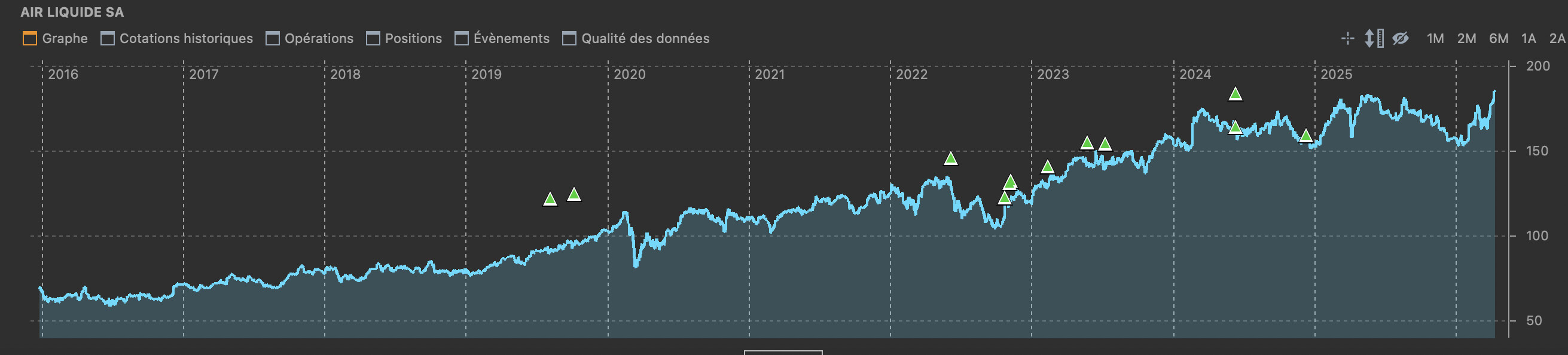
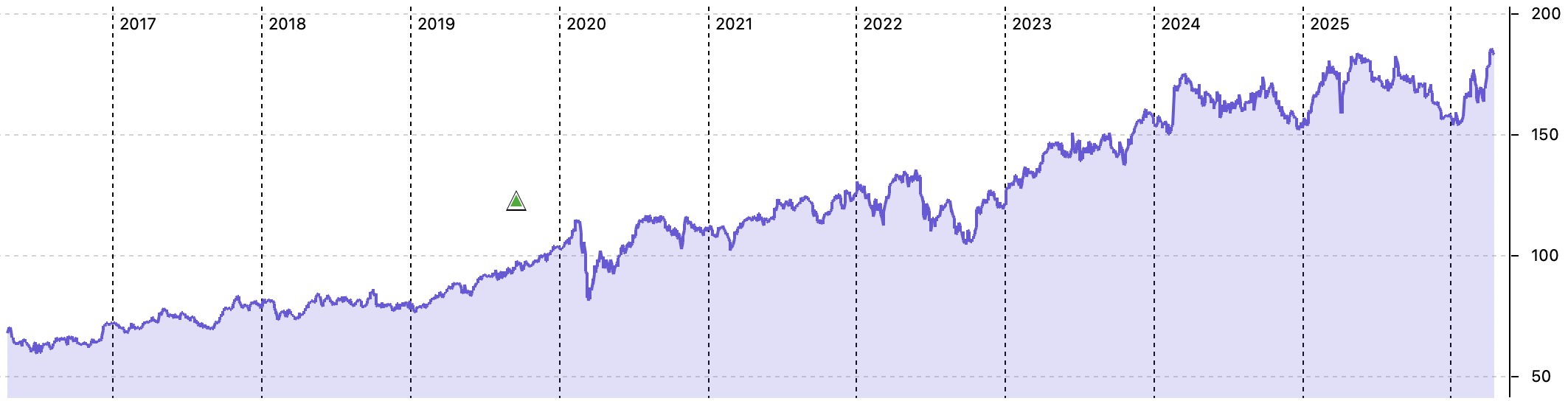
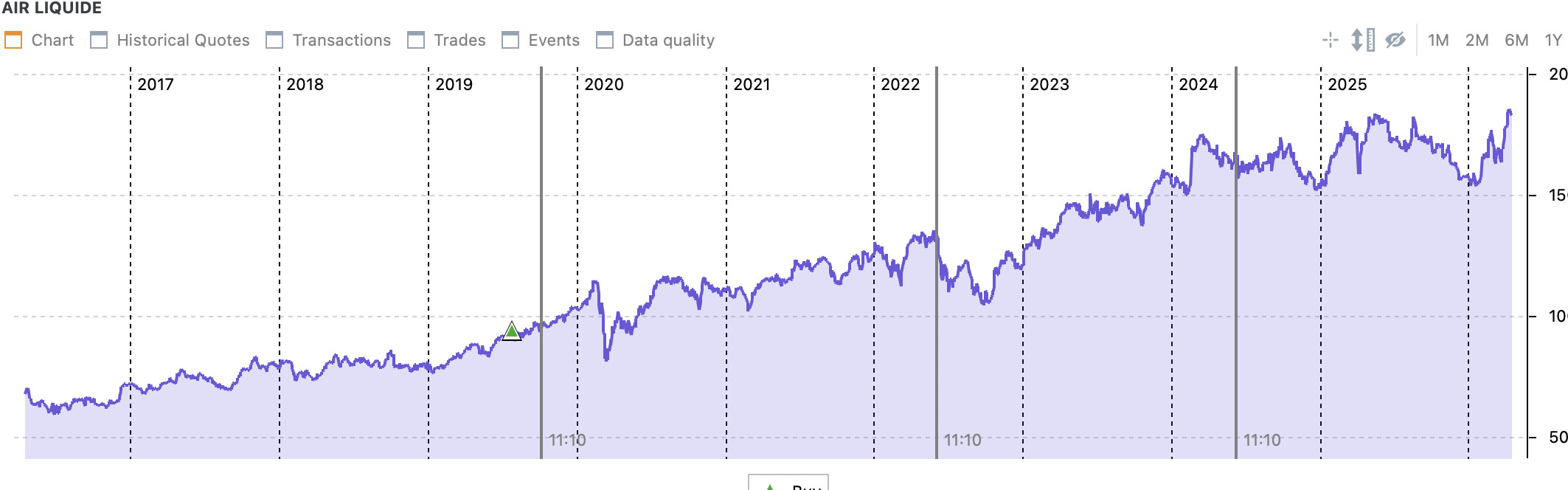
The problem: The historical prices I retrieve are automatically adjusted. They already include past free share allocations.
Specifically:
If I enter a purchase made a few years ago at the actual price at the time (e.g., €124), the PP chart displays a much lower price for that same date (e.g., €90) because it has been adjusted by the source.
Result: PP calculates inaccurate performance because it compares my actual (high) purchase price to an artificially low historical price. The software seems to be processing the chart rather than the reality of my transaction.
If I try to add the “Share Split” or “Free Shares” operation, the performance is counted twice (once by the price, which has retroactively decreased, and once by the addition of the shares). I can’t get tracking that reflects reality (price, allocations, fractional shares, etc.).
My questions:
How do you manage Air Liquide in PP to maintain accurate figures and precise performance year after year?
Is there a reliable data source that provides actual (unadjusted) historical prices and works well with PP?
Or is it necessary to manually adjust all historical purchase prices to match the adjusted Yahoo chart? This seems like a bad long-term solution: if the price adjusts automatically year after year, then the figures will also adjust after the allocation, skewing everything. If you manually adjust your purchase price today to match Yahoo or another provider, everything will be broken again during the next free allocation, shifting the entire history once more (repository conflict).
I do not have Air Liquide myself, but some thought :
Enter your transactions PP as per how they were at the time.
You can also import the already adjusted historical prices.
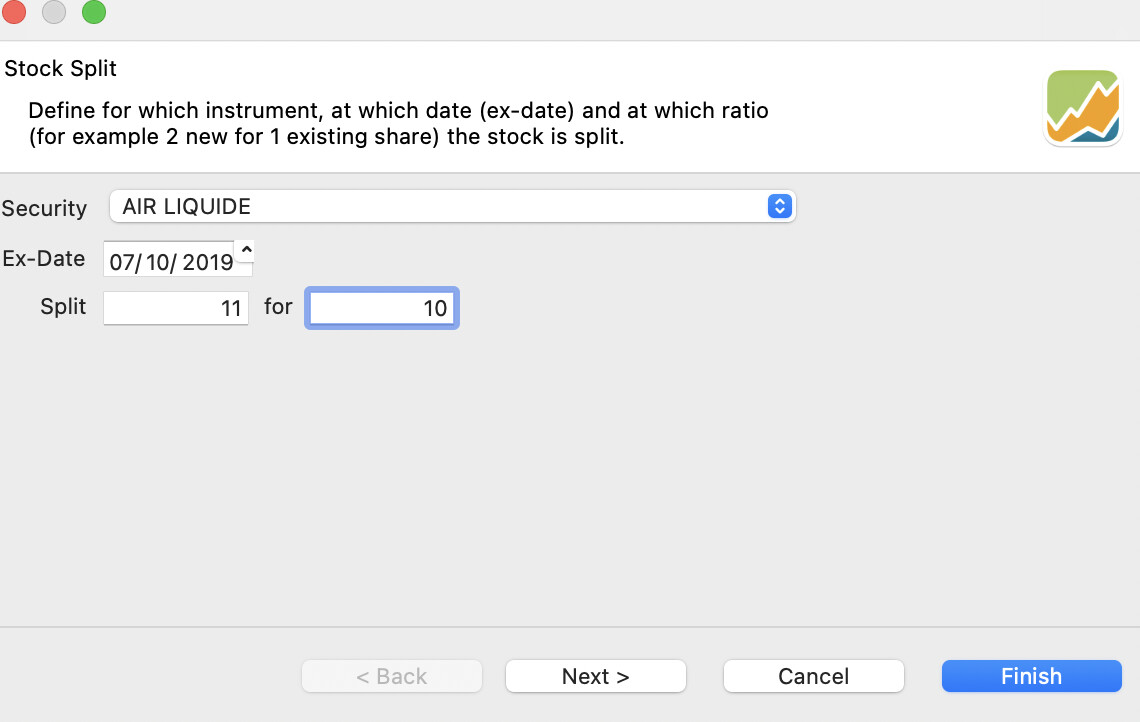
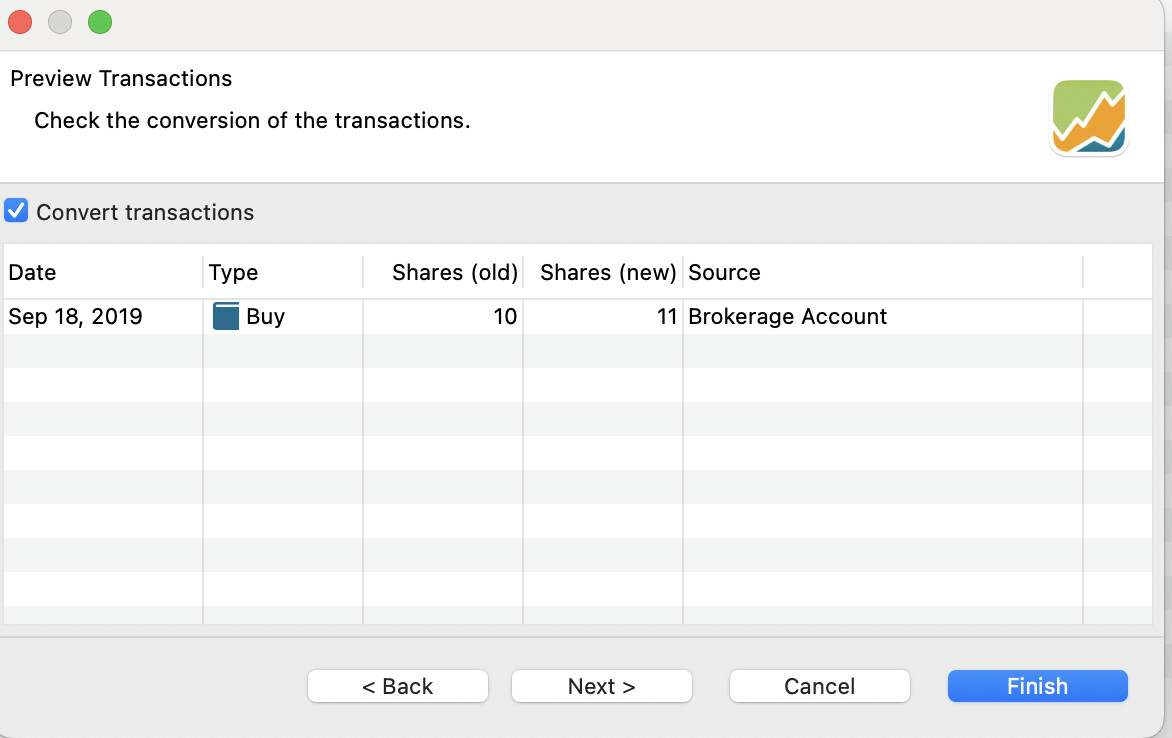
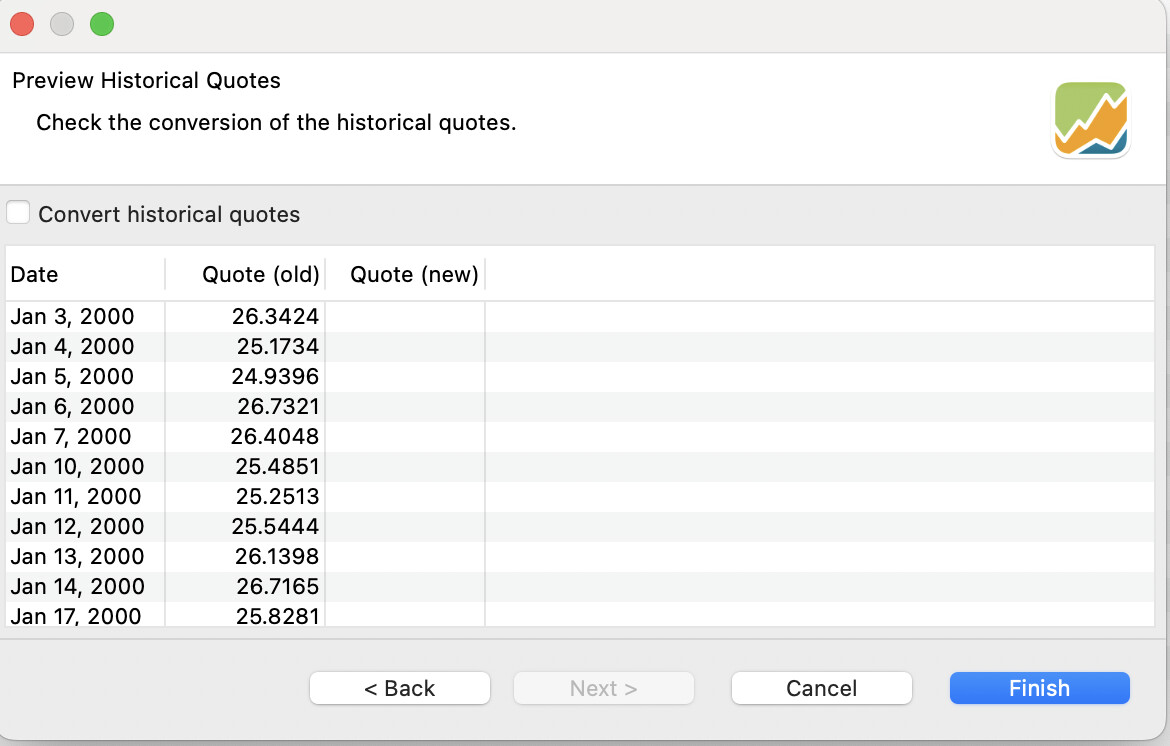
You can do a stock split operation at their date. I believe a split 11:10 is what Air Liquide is doing.
During this stock split operation, you can :
select to which operation the stock split conversion applies (those before the split) : it will modify them
Unselect “Convert historical price”
Continue with next split
edit : I just checked, a stock split applies to all transactions. So in this case the transactions have to entered in PP in the correct order. All transactions before the first split, the split operation, the next transactions are added, second split etc.
When all is done, for the future next stock split, you can do the same but this time select the “convert historical price”.
More complex case :
The “rompu” case where you get cash because of fractional share : I am assuming after the stock split, you can do a sell of those fractional share. Ex: 307 shares, after the 11-10 stock split becomes 337.7 shares at the new adjusted price, you sell 0.7 shares in order to get what your receive in cash as “rompu” maybe ?.
In addition to the 11-10 usual split you can have the fidelity bonus. For this I am quite unsure. If it applies to all your shares, I guess a 111-100 split works instead of the 11-10, but if it applies only to some of your shares I am not sure.
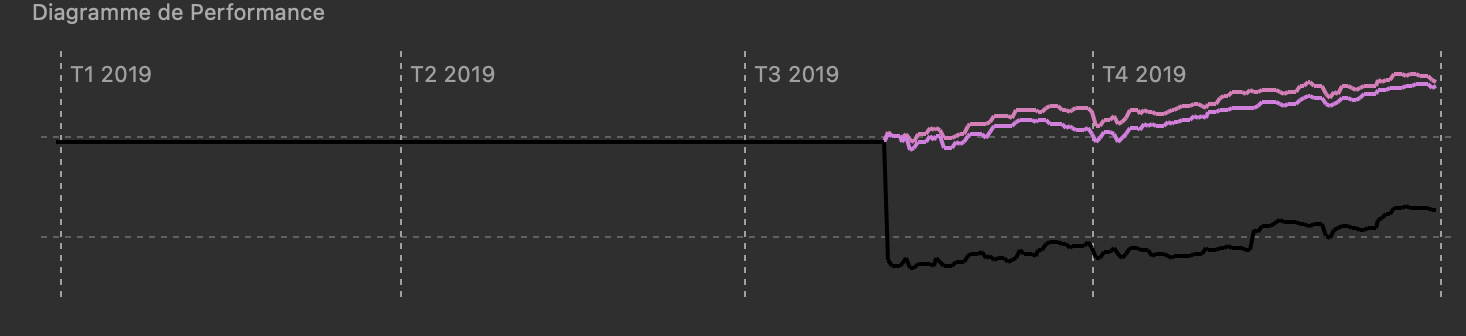
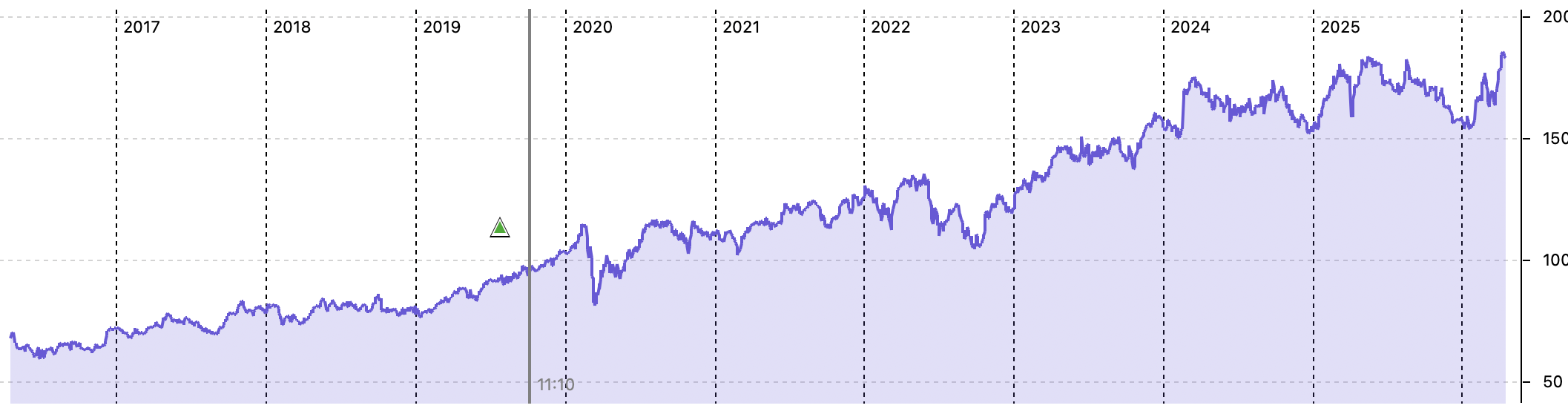
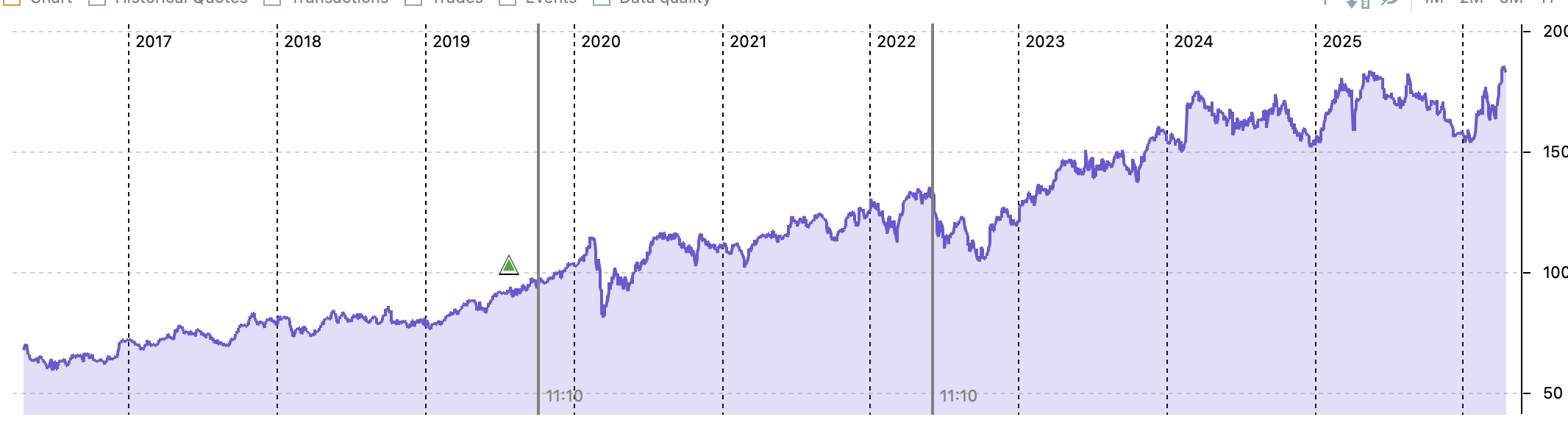
Hello, here’s the result. I’m entering the data my broker provided exactly as shown. After entering it into PortfolioPerformance (PP), here’s the result. The share price is automatically overwritten when Air Liquide distributes free shares. I have the impression that PortfolioPerformance calculates the difference between the purchase price and the overwritten share price. I’m not sure if my explanation is clear.
Furthermore, for 2019, my broker’s “total portfolio” doesn’t match the PP data. I think it’s the difference between my actual purchase price and the price PP provides after adjusting the share price.
Hello, the problem, as I see it, is that the Air Liquide share price we get on PP is already adjusted for all their free share allocations. So, if I proceed with the stock split, it makes the situation worse.
What is the problem of having already adjusted historical quotes ? The stock split operation in PP allows you to select if yes or no you want PP to adjust the prices again. If you already have the adjusted prices, then unselect this option.
I am trying to do your example. Lets say 10 shares purchase at 124 EUR on June 2019.
Since then, there have been 3 stock split https://www.investing.com/equities/air-liquide-historical-data-splits
|Jun 10, 2024|1.1:1 Stock Split|
|Jun 06, 2022|1.1:1 Stock Split|
|Oct 07, 2019|1.1:1 Stock Split|
Step by step:
So I do not think there is an issue about already adjusted historical price.
But I do not know how to take into the 10% fidelity bonus, as it can applies only to specific transactions while PP stock-split applies to all existing transations, you can not select/unselect transactions.
(when testing stock split, better to test on a test file first)
Thank you for your response. I am trying to clarify the situation as much as possible.
Air Liquide regularly distributes Free Shares to all its Shareholders. The distribution of Free Shares is at a rate of 1 Free Share for every 10 held.
For all shareholders, the allocation of free shares allows their portfolio to grow over time. In addition to distributing approximately 60% of its net income as dividends, Air Liquide distributes a portion of its reserves to all shareholders in the form of free shares, proportional to the number of shares already held. The free shares allocated entitle the holder to dividends, just like the shares from which they were issued.
After two full calendar years of registered share ownership, you will benefit from: +10% on the amount of dividends received and on the number of Free Shares distributed during allocation operations. For example, during the 2024 distribution of one Free Share for every 10 held, any Shareholder who held 100 registered shares for more than two full calendar years (before January 1, 2022) received 11 free shares, one more thanks to the Loyalty Bonus.
During the June 2024 distribution of Free Shares, any Shareholder who had held 100 shares for more than two full calendar years (before January 1, 2022):
• if held in bearer form, the Shareholder received 10 additional shares at a rate of 1 free share for every 10 held;
• if held in registered form, the Shareholder benefited from the Loyalty Bonus and received 11 additional shares: at a rate of 1 free share for every 10 held, plus 1 additional Free Share thanks to the Loyalty Bonus (+10%).
Example of fractional share calculation during the June 2024 Free Share Distribution: Let’s consider a Shareholder holding 225 shares, 112 of which are eligible for the Loyalty Bonus (held in registered form for more than two full calendar years).
> Free Share Allocation (1 Free Share for every 10 held)
For the 225 shares held:
Free Shares: 22
(220 ÷ 10)
+ Fractional Share: The remaining 5 shares do not constitute a full share. They generate a “ROMPU” of 0.5 shares.
> The Loyalty Bonus (+10% Free Shares based on the number of Free Shares distributed)
For the 112 eligible shares:
Additional Free Share: 1 (i.e., 1 share for every 100 held)
+ Additional Fractional Share: The remaining 12 shares generate a “ROMPU” of 0.12 shares.
FRACTIONAL SHARE (“ROMPU”)
If the number of shares you hold is not a multiple of the allocation ratio, a cash payment corresponding to the value of the fractional share that cannot be distributed, called a “ROMPU,” will be credited to your account.
Fractional shares that cannot be distributed as whole shares are paid out in cash (e.g., 0.5 + 0.12 = 0.62 shares).
The cash amount is calculated by multiplying the number of fractional shares by the share reference price, set by the issuer (Air Liquide) on the ex-dividend date.
The cash payment is generally made a few days after the ex-dividend date. The amount appears in your cash account (or securities account, depending on your intermediary).
I hope the explanations were clear. Computers aren’t my strong suit.
Case 1 : your example about the 225 shares held producing Free Shares: 22 + 0.5 fractional share :
I think it can be modelled within PP as per the explanations given above → is this case clear for you ?
You enter your pre-split transactions, apply the 11-10 split, sell the fractional share. Then you add the next transactions until the next split and do gain a split, sell the fractional shares etc.
If you do this retroactively while having adjusted historical prices within PP, you unselect the conversion of historical prices in order to not convert them again.
If you do this during a current stock split (maybe in 2026), then you convert the prices.
Case 2: your example of 10% fidelity bonus (for the 112 eligible shares: additional Free Share: 1 (i.e., 1 share for every 100 held) + Additional 0.12 Fractional Share rompu): this one I do not know how it could done within PP. Maybe someone else knows. Maybe an inbound delivery of 1.12 shares at price to be determined, followed by a sell of 0.12 shares but I am really not sure.