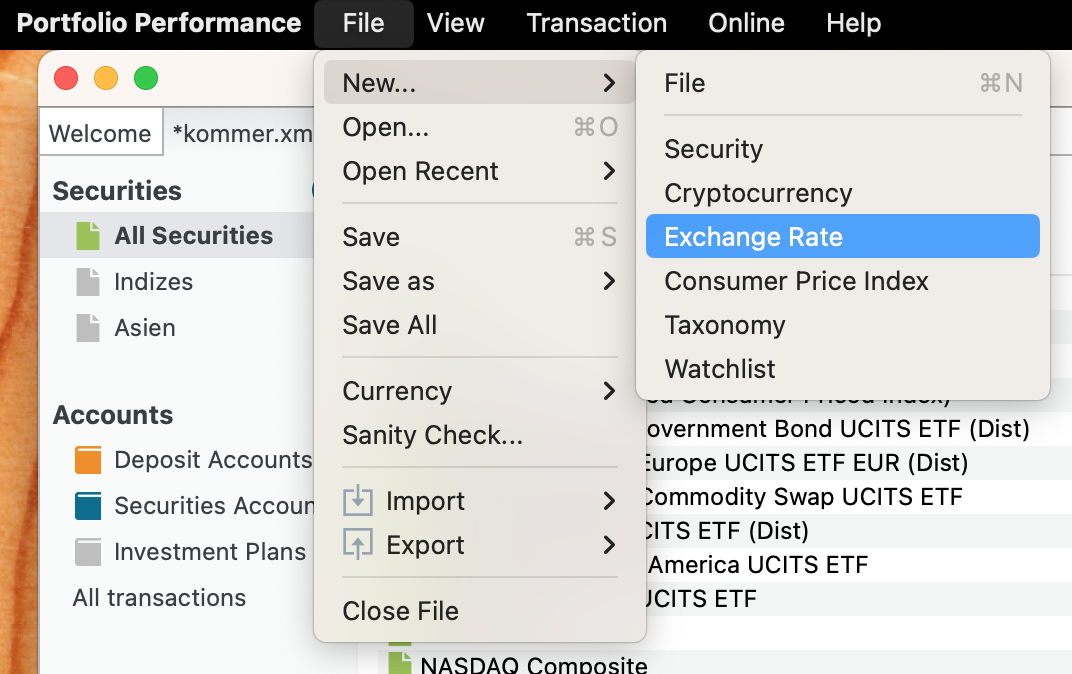
You can add custom exchange rates via the menu (with the latest version) or if you go to “All Securities” and click the “plus” button in the top right corner (as @Rafa pointed out):
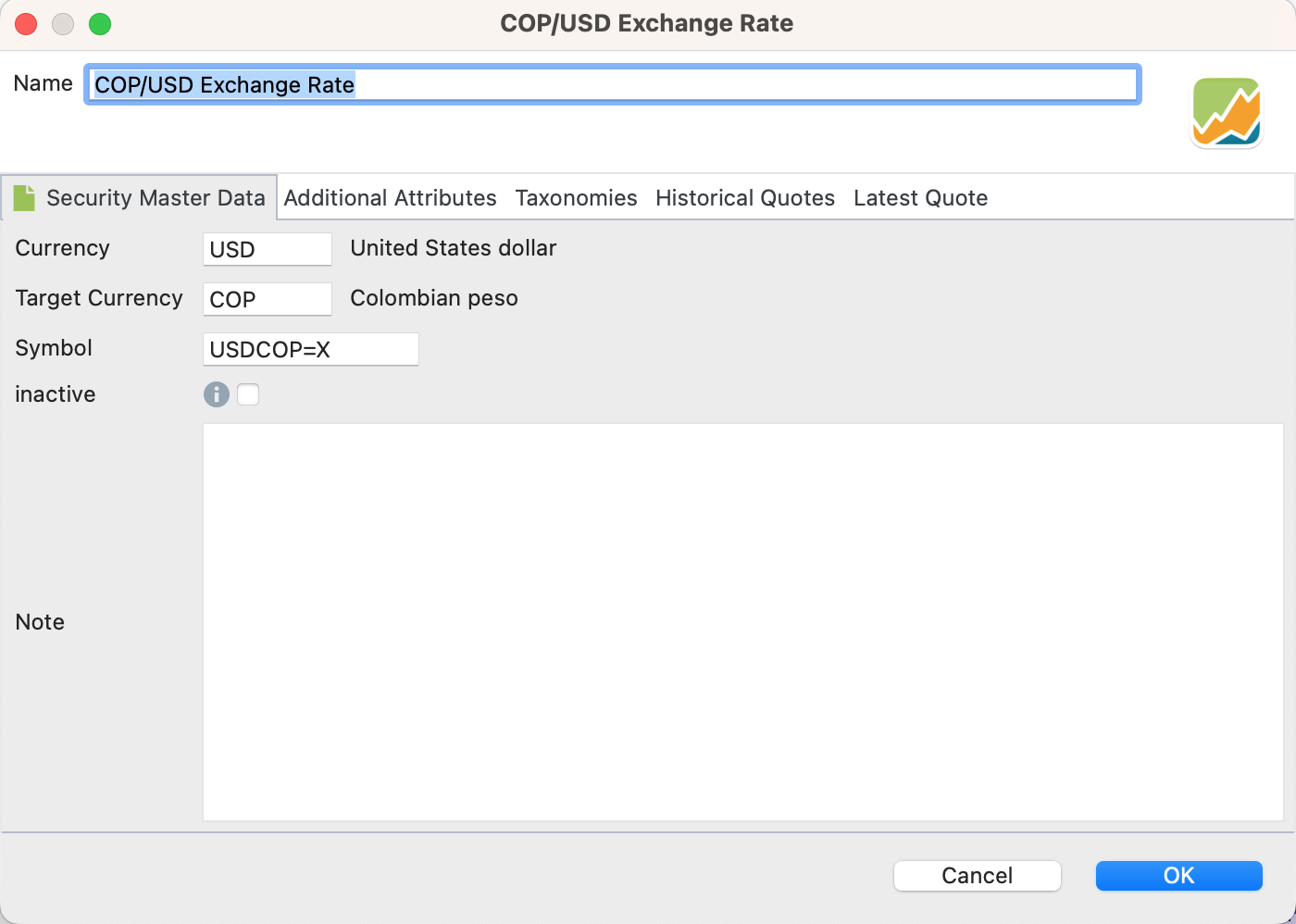
And then configure the currency pair:
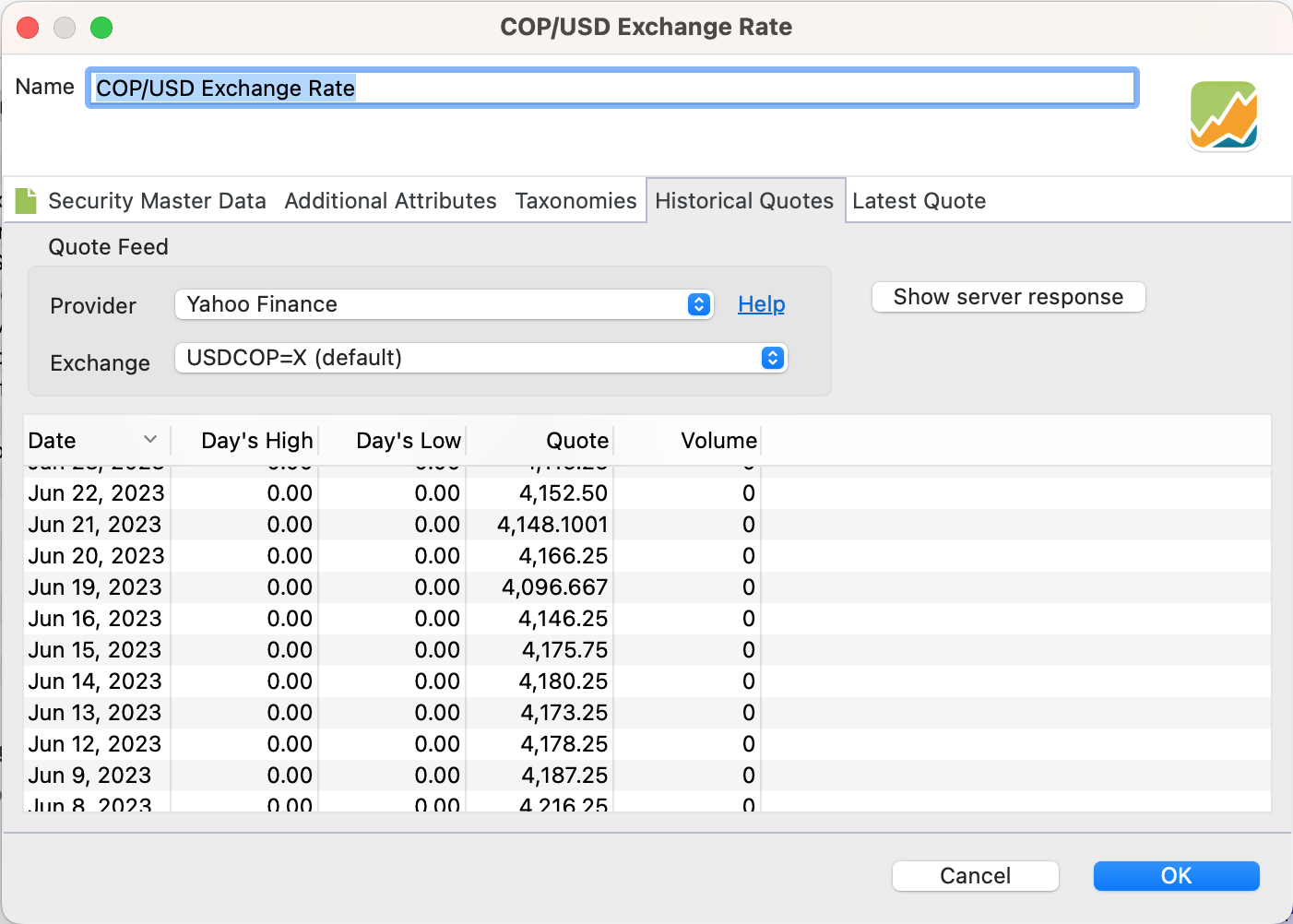
Go to the “Historical Quotes” tab and configure the provider. I am using Yahoo here:
Check that PP has the exchange rates correct, by selecting “currencies” in the sidebar navigation, and the do the test drive with the Currency Converter tab:
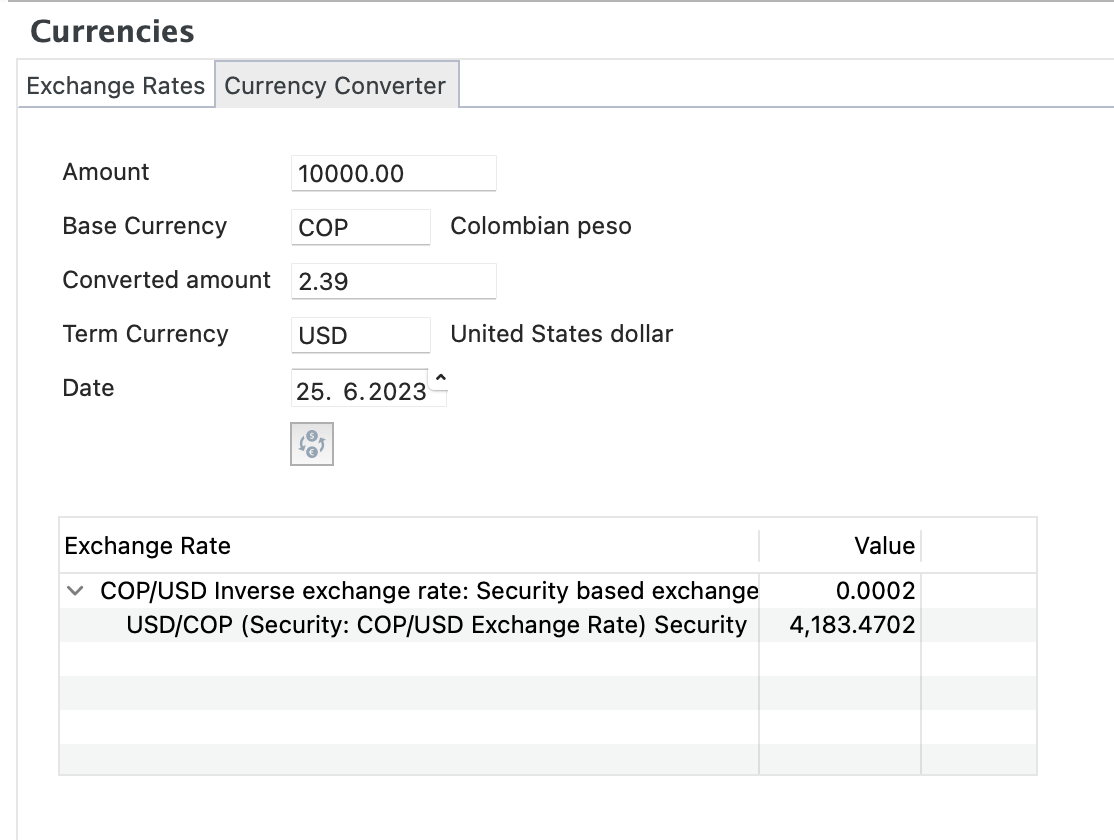
Make sure you create the currency pair this way. PP gets only 4 digits after the decimal point for Yahoo prices. Therefore it does not make sense to use COPUSD=X symbol