I can fetch historical price data via a custom JSON source in the desktop version, but the mobile version won’t show the latest data unless I sync the portfolio file each time.
Hi @burra,
can you share the configuration you are using.
One issue is that the JSON path implementation on mobile is slightly different. It is not standardized and the libraries have implemented that differently. In particular it is about the “dot square notation”.
Instead of
$.[*].[0]
Use
$[*].[0]
The latest version of the mobile app tries to fix this automatically, but maybe you are still on an older version?
1 Like
I already use it as $[*].[0]
The question by Andreas is still unanswered.
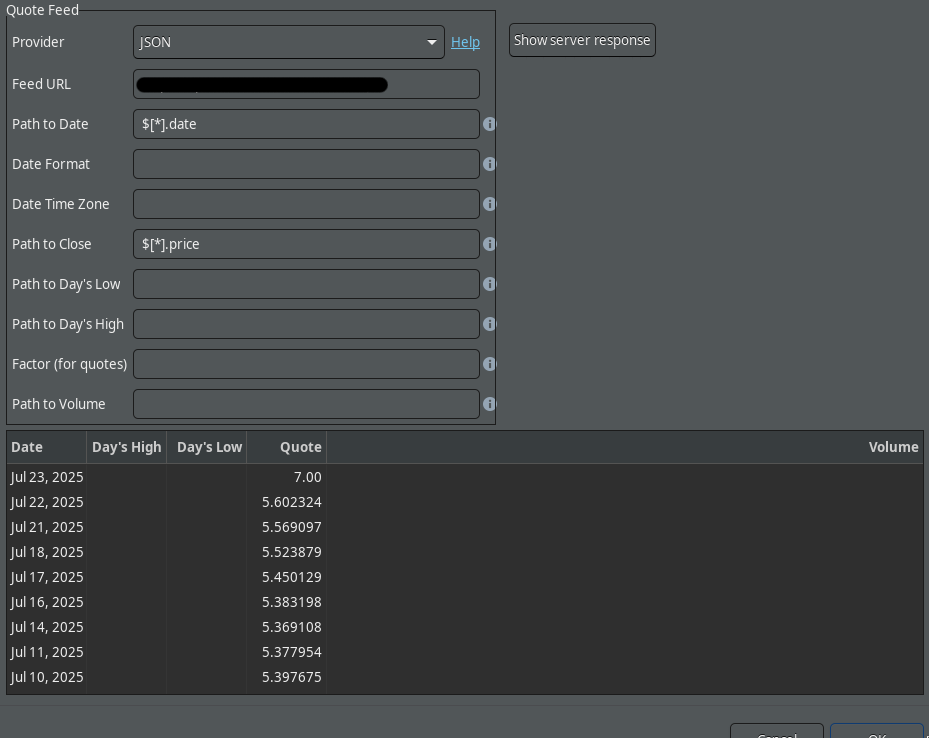
My quote updating config:
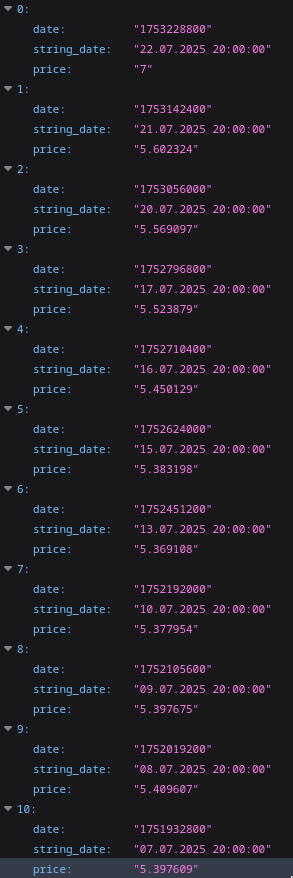
My json data:
It’s working with desktop app normally but the android app doesn’t update quotes without sync the data with desktop. Also i see this wrong price data on mobile:
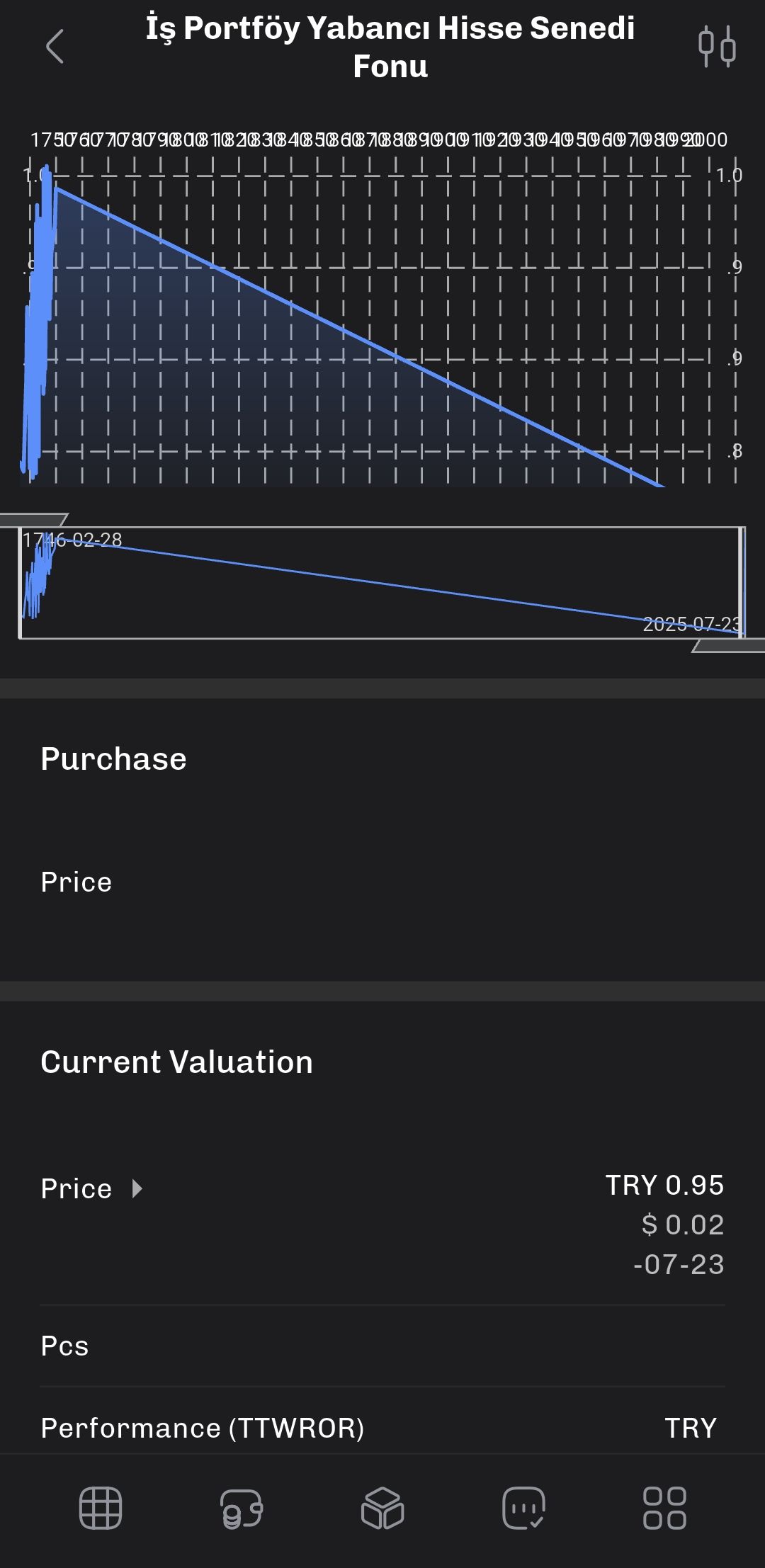
There is no date like 1746 etc. on desktop app or json data.
I noticed that this data is a randomly ordered copy of the data in the API. What could be causing this?
Ok, thanks for the sample. I now know why it behaves differently, how you can work around it now, and what I will fix.
The “problem” is that the timestamp is a string (you notice the " around the number). On the desktop, I first try to parse it as a string and if that fails, then parse it as a timestamp. On the mobile version, I only try to parse that as a string date.
Try using the the string_date property and give it a custom formatter: dd.MM.yyyy HH:mm:ss. That should parse the dates.
Let me know if that works.
I will fix the mobile version to be more flexible with the next version
1 Like
The json source is mine. So i change the date as number and it works! Thanks Andreas.
3 Likes
It depends  . The date strings start with “1751” and then the parsing is a little lenient. If you give it month 17, it will roll it over one year and 5 months…
1 Like