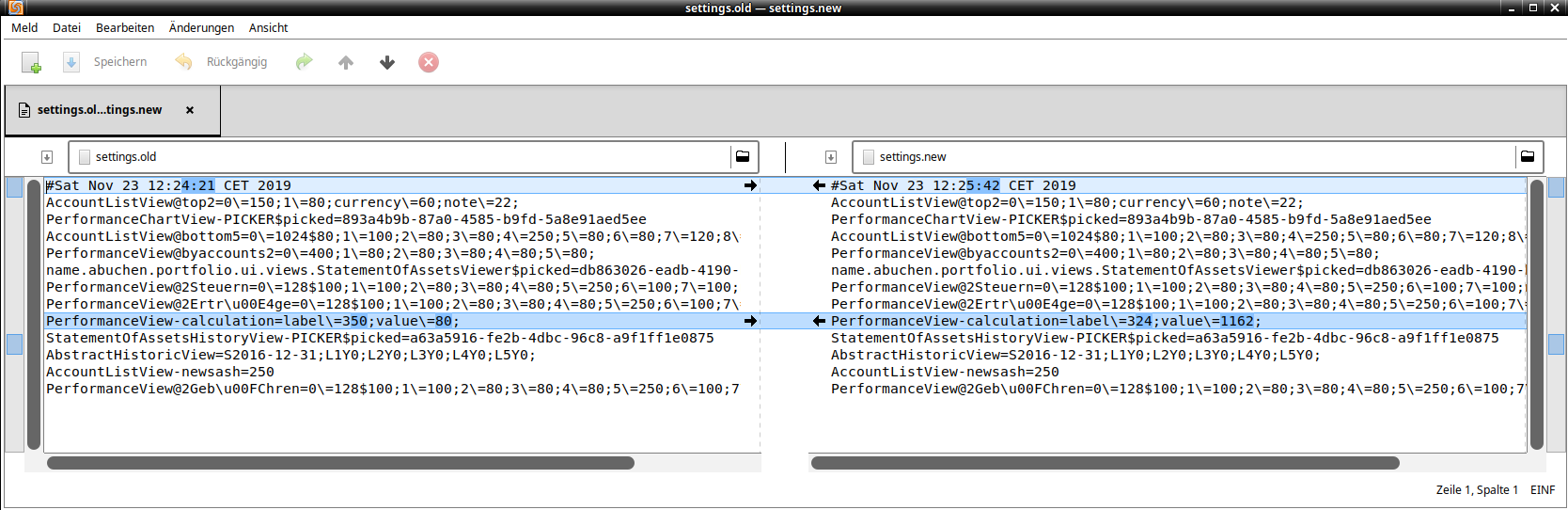
I adjusted the width of the same column as you did in the video. In the screenshot you can see the differences in the value PerformanceView-calculation.
What are the values in your settings file when the column is no longer visible?
PerformanceView-calculation=label=0;value=1162; ???
Change to „label=350;value=80;“ helps?
The easiest way to make everything visible again is to delete the settings file, but by doing so you lose some settings, e.g. from which year on the yields should be displayed, column sorting, etc. - but no important data.
And yes, I use Linux…
Distributor ID: Ubuntu
Description: Ubuntu 18.04.3 LTS
Release: 18.04
Codename: bionic
…and i had the same problem once.
Are you using GTK2 or GTK3 with PP?