how can I check it?
yes. I run the standalone version from a subfolder of Download folder
Please look in Ganz viele Files mit folgender Namensstruktur .xdp-Portfolio_Performance.backup - #18 by ProgFriese and show the results here.
1 Like
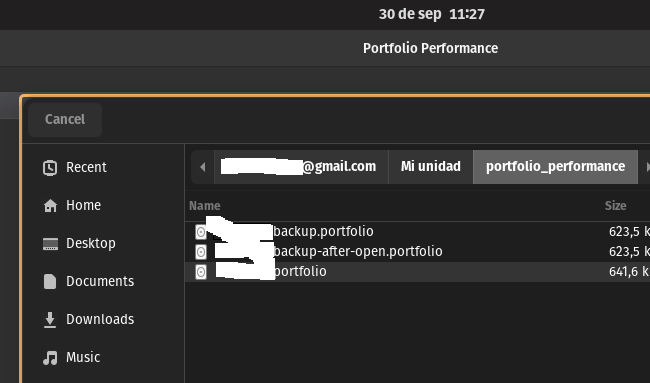
And one more thing: The file name is relevant. The file must end with “.portfolio”. I’d think that is natural, but there screenshot in the Terminal shows strange file names. Maybe the Flatpak container does not get the original file name?!?
hi,
when I open Open, I see the original name but when I open in a Terminal I see the following:
/run/user/1000/gvfs/google-drive:host=gmail.com,user=[google account]/0ALWxwXPati3KUk9PVA/portfolio_performance ls -l
total 1845
-rw------- 1 codec codec 641578 sep 28 12:35 1EiOD8AwRmI9SsZn5UdXtHjHRfy8jmw9H
-rw------- 1 codec codec 623498 sep 28 12:35 1f8n49fjLaPweJXFRWmVC2yOOlxYces-C
-rw------- 1 codec codec 623498 sep 28 12:35 1V5N5CUfr6f_xQqiRA-_19RJD6wAH5goM
here the outputs:
codec@home# flatpak list | grep perf
Portfolio Performance	info.portfolio_performance.PortfolioPerformance	0.80.2	stable	user
codec@home# flatpak override --show info.portfolio_performance.PortfolioPerformance
[Context]
filesystems=/home/codec/Documents/Finances/portfolio_performance;

codec@home# sudo flatpak override --filesystem=/home/codec/Documents/Finances/portfolio_performance:rw info.portfolio_performance.PortfolioPerformance

codec@home# sudo flatpak override --filesystem=/run/user/1000/gvfs/google-drive:rw info.portfolio_performance.PortfolioPerformance
the problem still there.
Holy shit.ㅤㅤㅤㅤㅤㅤㅤㅤㅤㅤㅤㅤㅤㅤㅤ
My theory: the logic to detect the file type depends (in part) on the file name. I am assume that PP gets only the technical name. I will improve this with the next version. It should rely only on the file content.
Out of curiosity: if you create a new file within the desktop application and save it on your Google Drive, does that work when opening the app again? And if you hover over the tab with the file name, what is the path that is shown there.
I can wait the later verions. While I will find alternative solution.
I created a new portfolio file directly to Google Drive and when tray to open I get the same error.
when it is trying open I see:
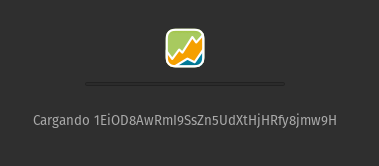
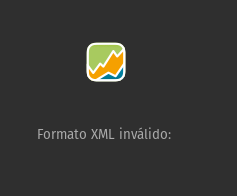
the file is protected with a password.
thanks for your help.
Okay, PP gets only the cryptic filename.
I will update the code to not rely on the file ending.
Thanks for all.
With version 0.80.3 I have improved the detection of the file type.
@CoDeC can you check again after the update?
hi,
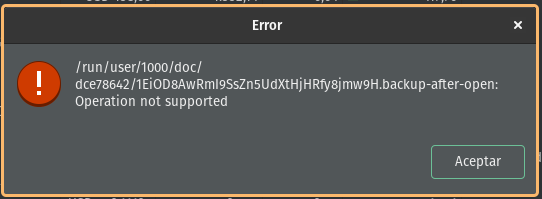
now, the file is open and have all transactions but I got the follow message when it is open:
thanks for this advance.
Once PP successfully opens the file, it automatically creates a backup file. I assume PP has no permissions to create this copy.
I have to check if I somehow can “request” the permissions. For the time being, you have to ignore the error
Difficult, I’m not sure if this is the right way to access Google Drive directly when I look through these guide: