Version: 0.87.0 (August 2026)
Platform: linux, x86_64
Java: 21.0.12.1, Flathub
Until last week, Portfolio Performance was performing very well, as expected. Performance calculation report was especially useful, with the calculation tab showing capital gains, earnings etc. overall, while teh individual tabs - assets at beginning, end etc could be used for specific aspects.
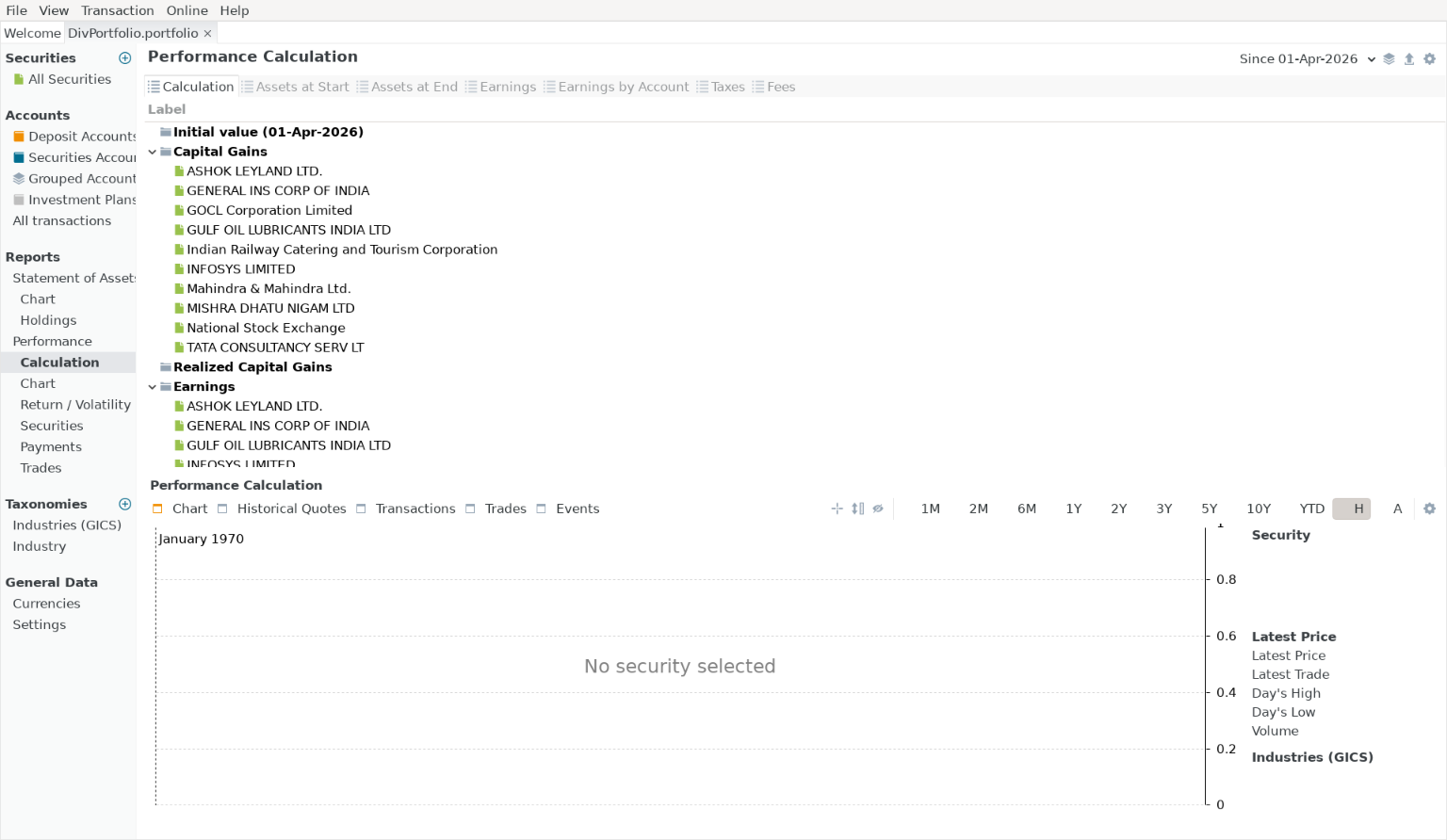
Recently, the calculation tab only lists the securities, all amounts are unseen (screenshot uploaded), though the figures do appear in adjacent detail tabs such as assets at beginning etc.
I have done a debug:Reset from the help menu, but this has not solved the issue. There’s no horizontal scroll bar to see if the number columns have overflown the available screen width.
One change I mage recently was to go from xml format to a binary format so as to be able to access the data on DropBox with the mobile app.
Please advise any debugging / recovery steps.