I have started to use AI more and more when researching securities. However, when discussing for example with Gemini, it provides its aswers as formatted text (I think LaTeX-based) and when copy-pasting something from there into PP’s Security-records “Security Master Data”- “Note”-field, all the the formatting is removed => I find myself tediously formatting the resulted ascii-only text into somehow readable format.
=> I would like to have a capability to add research notes into security records one way or another, not just as ascii-text.
I don’t know what would the most practical way of achieving this.
File attachments (stored into PP’s own portfolio file) could explode PP’s file size (so maybe we should not desire storing annual reports here ) but perhaps some kind of formatted text, allowing copy paste from AI chatbots could be feasible?
But even if the format would been taking over you would still have the issue with the cell hight.
You can’t just enlarge the area.
So reading your notes would always require to open a pop up at least.
OK, the note field is limited to ascii-only text - perhaps, one just has to live with this given that PP needs to function on Windows, Linux and MacOS which must impose added complications for its developers.
However, a formatted research note can be linked to a specific security by creating a bookmark to a locally saved Word document. For example, in Windows this could be achieved by that bookmark having a Url something like this file:///C:/test/{WKN}/formattedresearchnote.docx.
Note, for this to work, you would need to name the relevant sub-folder so that it matches the WKN reference.
Thank you Rich28! I tried your technique on a mac: I created an odt-file, saved it, got the URL by dragging and dropping the file into the address bar of chrome, copy pasted the URL into the Bookmark-field in the “Additional Attributes” -tab where it looks like this:
What I explained earlier works in a Windows environment. I don’t use a Mac, but as far as I can tell the structure of that url seems OK. I’m at a loss of what to suggest… Presumably ‘Ext-SSD-1’ relates to an external drive - is it mounted?
Still doesn’t work for me! I tried local drive, iCloud, even just this:
file:///Users/jorma/
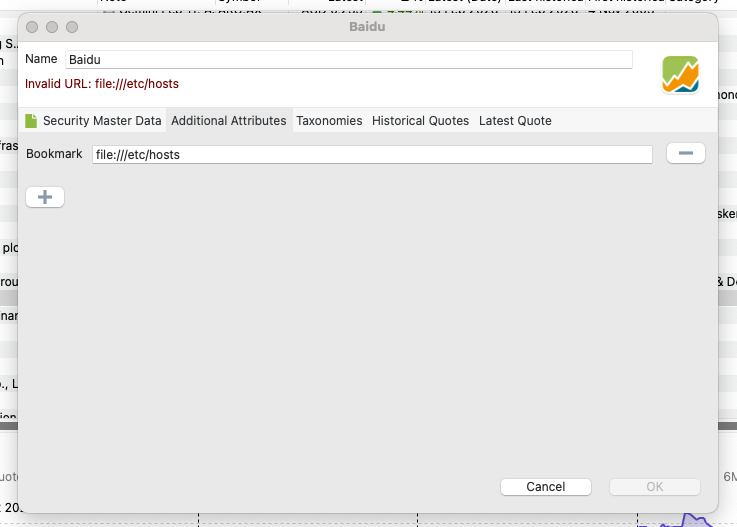
and yes: PP shows me “Invalid URL”.
I upgraded to PP 0.81.5. I tried creating a new file from scratch, defined a new attribute field for bookmark, defined a new empty instrument, tried adding all these same bookmark-URL’s (also the one above) -
always the same error: “Invalid URL:” shown on red.
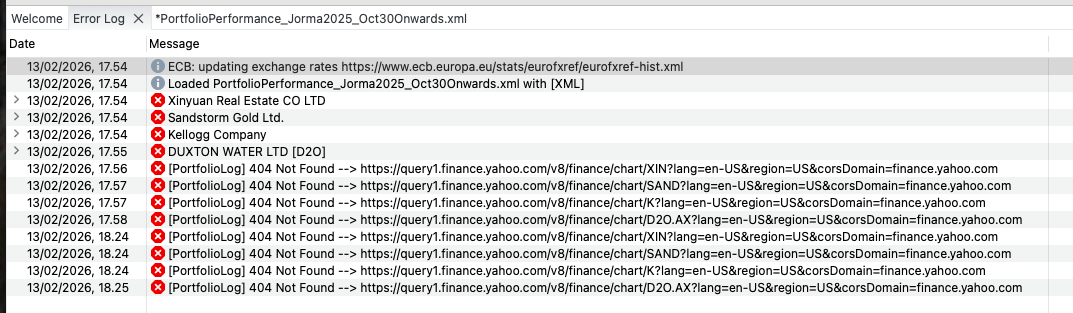
Here’s the error log - doesn’t seem relevant to me.
When the “Invalid URL” is shown (in the security master record itself on red), the only option I am given to continue is to press the cancel-button, I guess therefore no error log entry
Do you mean **System Settings > Accessibility (no PP there) or
System Settings > Privacy & Security > Full Disk Access (no PP there)?
I tried this also on my old mac with PP 0.80.0 there - same problem.
I was thinking as one difference in my setup when comparing to yours are my localization settings - so in the old mac, I went to Settings - Language and chose “Restore Defaults” and restarted PP. Still same problem**…
Just to show, this is how it looks like with the most simple URL on a mac.
Nothing on the error log for this, but half an hour ago there was a new entry: “Cannot cast java.lang.String to org.eclipse.core.runtime.IStatus”
If I understood you currently, then the bookmark-string would be the same for every security (and you would be forced to use something like {WKN} to make it point into different files)?
 ) but perhaps some kind of formatted text, allowing copy paste from AI chatbots could be feasible?