Hi ProgFriese
I tried to add a new fund in my list. The new instrument screen has changed and even the funds that I already can not be found through the screen. Is this a bug? Is there a new procedure to ad a new instrument fund
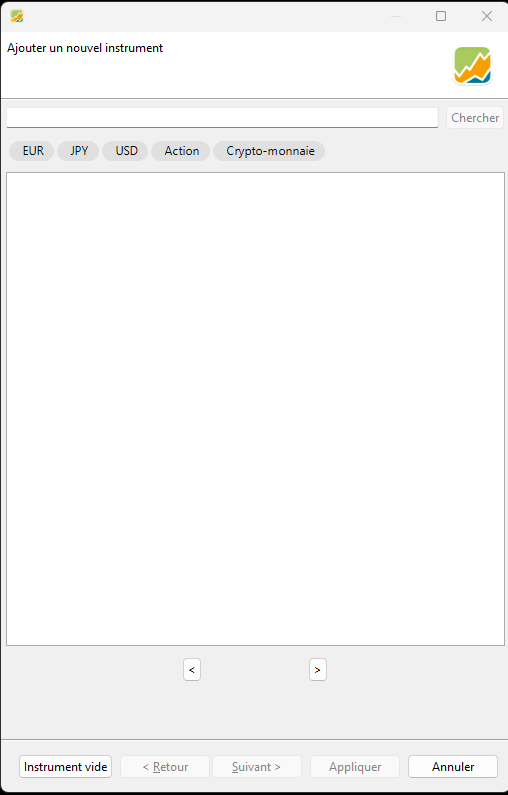
Hereunder I have added the screen that now appears. It is different than before.
Can you help me to proceed.
Thanks
Tanguy
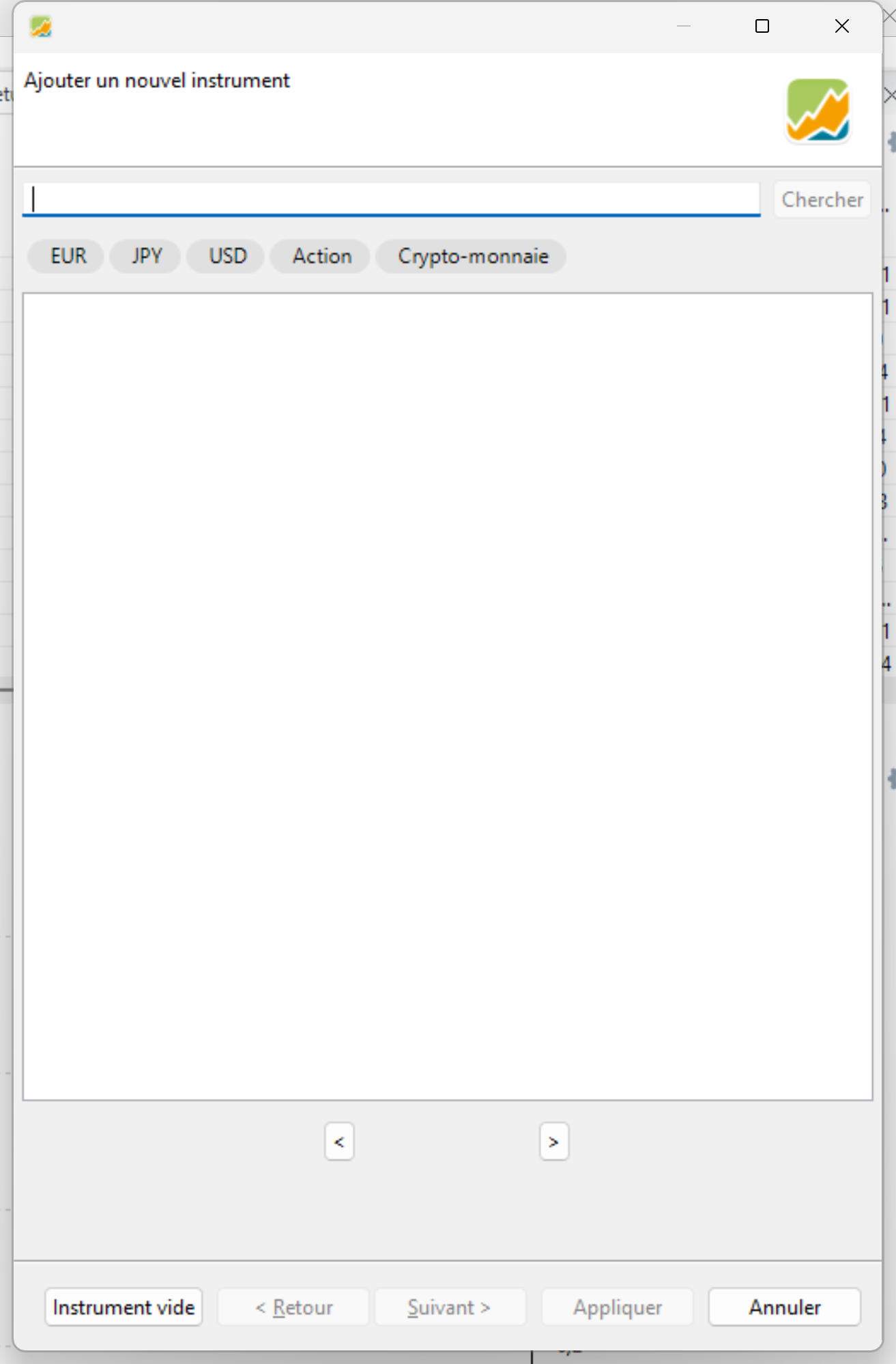
Click on the buttom left side:
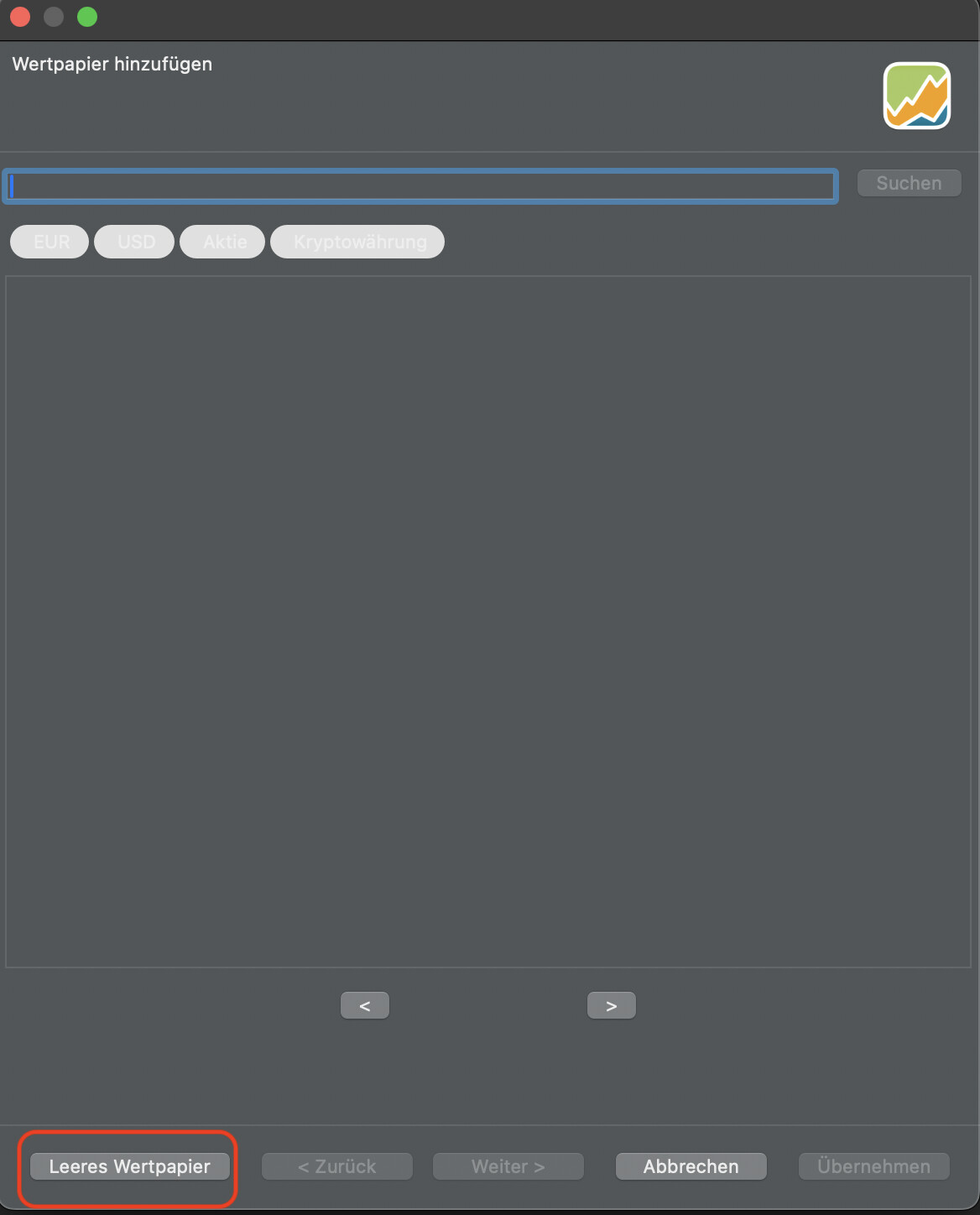
This will bring you to the next window, which remains the same as before.
Yhank you
I tried this before but This seems to be for an empty instrument. When I insert the ISIN it does not search the instrument. WhenI go to the source screen for providers it does not reconcile the ISIN I interted in the previous screen and does not search.
It does not seem to work to find automatically the instrument even thos that I have already. Can you help me in the process
When I add the ISIN on the first folder and try to use in the 4 th folder of the screen the historic quote provider non show any of the funds that I found in the past. Is ther any additional source that we can add?
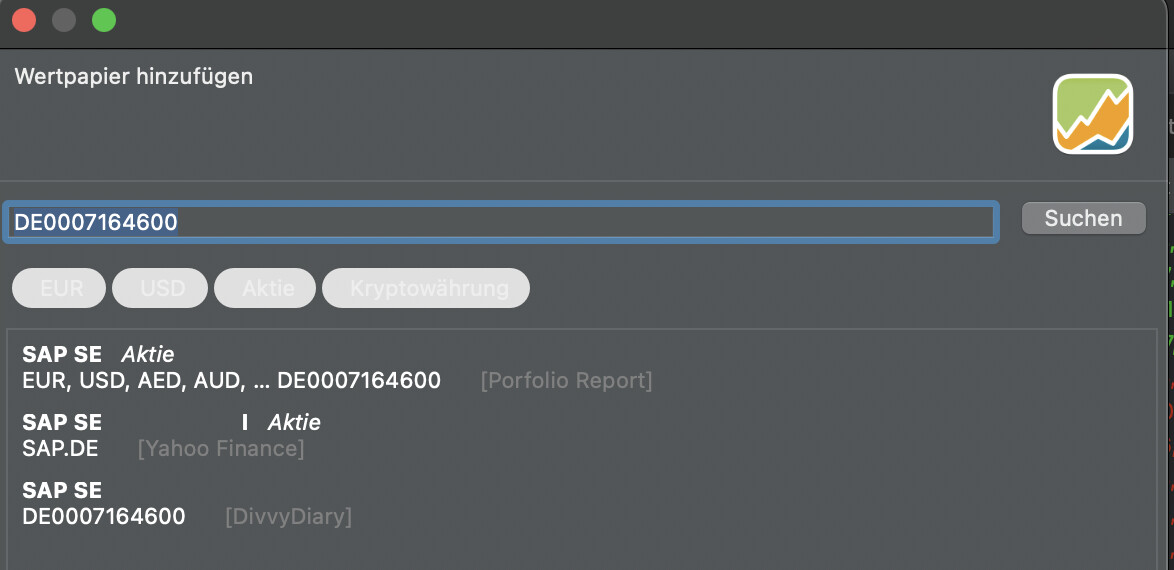
All other historic quotes work except the ariva source. portfolio report is not anymore available in the list of sources provided by Portfolio Performance.
Using the JSON on Fundsquare with date and price link that you provided does also not work.
Could you provide the path to price and date for the ISIN: LU004850004 for the fidelity Germany fund on fundsquare.
I’m struggling since this fund is not available on Yahoo finance which seems to be the only source still available.
@ProgFriese wrote a nice description on how to get the price, why not trying it yourself:
I tried what ProgFriese gave me for Fundsquare but it did not work even when I switched of my antivirus. The latter seems not blocking
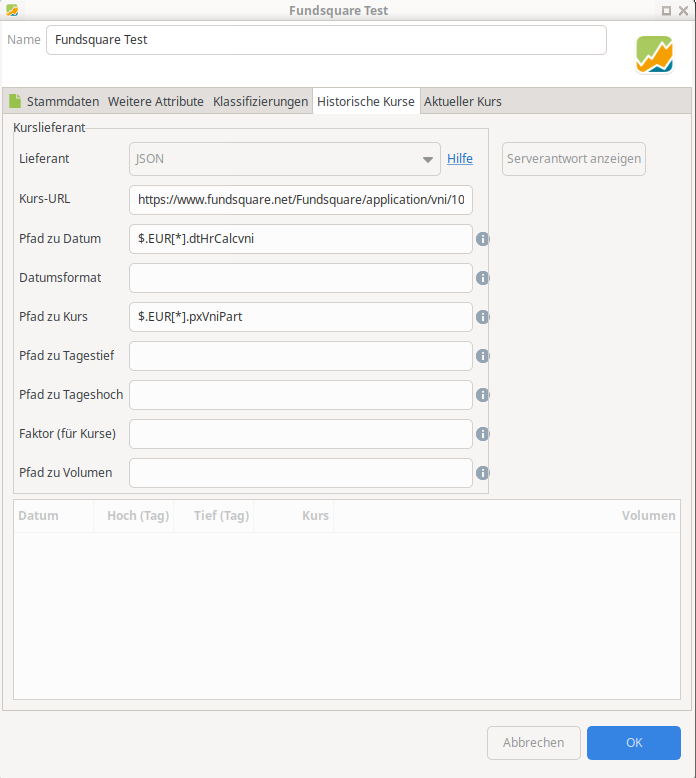
I put in the link what he gave me on the JSON screeni.e.
https://www.fundsquare.net/Fundsquare/application/vni/10880
Than in the date filed : $.EUR[].dtHrCalcvni
In the price field : $.EUR[].pxVniPart
It still did not work
I don’t use firefox I use Chrome
I must confess I’m not a programmer!
OK, now I understand your issue.
No idea why no result returns in the payload as it looks ok for me.
But anyway, you can use the fidelity website for recent quotes
URL:
https://www.fidelity.ch/api/ce/fdh/FundData.json?country=ch&language=de&id=LU0048580004&countries=ch&languages=de-ch%2Cde%2Cen&channels=ce.private-investor&channel=ce.private-investor&r=1744891012810
Date: $.LU0048580004.priceData.nav.date
Price: $.LU0048580004.priceData.nav.value
I couldn’t find historical day by day data during my quick search, I fear the only provide a year by year performance chart.
The hardest is always to find a good source, when you found one, you just need to follow @ProgFriese description in order to help yourself.
Thank you
I did the whole procedure again through the copy/Paste from previous items with Fundsquare. Finally it did work.
I don’t know what went wrong before.
Thanks in either case and discuss next time for other topics.
First, you have done all the things I told you, you have done it right, it is not your fault.
Second, last year it worked very well, but now nothing happens.
WTF is going on here?
I create an xml with just one security
FundsquareTest.xml (9,6 KB)
and make a tcpdump while starting PP with this file and some seconds more

everything seems to be normal, but the TLS-negotiation does not have to find an end.
adding -Djavax.net.debug=ssl:handshake:verbose:keymanager:trustmanager to the ini, and have a look
stderr.txt (954,8 KB)
is the full output, the interesting part seems to be
javax.net.ssl|DEBUG|D2|Worker-1: JSON: Fundsquare Test|2025-04-17 14:35:06.745 CEST|HandshakeContext.java:287|Ignore unsupported cipher suite: TLS_AES_256_GCM_SHA384 for TLSv1.2
javax.net.ssl|DEBUG|C2|Worker-0: JSON: Fundsquare Test Aktueller Kurs|2025-04-17 14:35:06.746 CEST|HandshakeContext.java:287|Ignore unsupported cipher suite: TLS_AES_256_GCM_SHA384 for TLSv1.2
javax.net.ssl|DEBUG|D2|Worker-1: JSON: Fundsquare Test|2025-04-17 14:35:06.746 CEST|HandshakeContext.java:287|Ignore unsupported cipher suite: TLS_AES_128_GCM_SHA256 for TLSv1.2
javax.net.ssl|DEBUG|D2|Worker-1: JSON: Fundsquare Test|2025-04-17 14:35:06.746 CEST|HandshakeContext.java:287|Ignore unsupported cipher suite: TLS_CHACHA20_POLY1305_SHA256 for TLSv1.2
javax.net.ssl|DEBUG|C2|Worker-0: JSON: Fundsquare Test Aktueller Kurs|2025-04-17 14:35:06.746 CEST|HandshakeContext.java:287|Ignore unsupported cipher suite: TLS_AES_128_GCM_SHA256 for TLSv1.2
javax.net.ssl|DEBUG|C2|Worker-0: JSON: Fundsquare Test Aktueller Kurs|2025-04-17 14:35:06.746 CEST|HandshakeContext.java:287|Ignore unsupported cipher suite: TLS_CHACHA20_POLY1305_SHA256 for TLSv1.2
javax.net.ssl|INFO|D2|Worker-1: JSON: Fundsquare Test|2025-04-17 14:35:06.747 CEST|AlpnExtension.java:179|No available application protocols
javax.net.ssl|DEBUG|D2|Worker-1: JSON: Fundsquare Test|2025-04-17 14:35:06.747 CEST|SSLExtensions.java:272|Ignore, context unavailable extension: application_layer_protocol_negotiation
javax.net.ssl|DEBUG|D2|Worker-1: JSON: Fundsquare Test|2025-04-17 14:35:06.747 CEST|SessionTicketExtension.java:352|Stateless resumption supported
javax.net.ssl|ALL|D2|Worker-1: JSON: Fundsquare Test|2025-04-17 14:35:06.747 CEST|SignatureScheme.java:406|Ignore disabled signature scheme: rsa_md5
javax.net.ssl|DEBUG|D2|Worker-1: JSON: Fundsquare Test|2025-04-17 14:35:06.748 CEST|SSLExtensions.java:272|Ignore, context unavailable extension: cookie
javax.net.ssl|INFO|C2|Worker-0: JSON: Fundsquare Test Aktueller Kurs|2025-04-17 14:35:06.748 CEST|AlpnExtension.java:179|No available application protocols
javax.net.ssl|DEBUG|C2|Worker-0: JSON: Fundsquare Test Aktueller Kurs|2025-04-17 14:35:06.748 CEST|SSLExtensions.java:272|Ignore, context unavailable extension: application_layer_protocol_negotiation
javax.net.ssl|DEBUG|C2|Worker-0: JSON: Fundsquare Test Aktueller Kurs|2025-04-17 14:35:06.749 CEST|SessionTicketExtension.java:352|Stateless resumption supported
javax.net.ssl|ALL|C2|Worker-0: JSON: Fundsquare Test Aktueller Kurs|2025-04-17 14:35:06.749 CEST|SignatureScheme.java:406|Ignore disabled signature scheme: rsa_md5
javax.net.ssl|DEBUG|C2|Worker-0: JSON: Fundsquare Test Aktueller Kurs|2025-04-17 14:35:06.749 CEST|SSLExtensions.java:272|Ignore, context unavailable extension: cookie
javax.net.ssl|DEBUG|D2|Worker-1: JSON: Fundsquare Test|2025-04-17 14:35:06.750 CEST|SSLExtensions.java:272|Ignore, context unavailable extension: renegotiation_info
javax.net.ssl|DEBUG|D2|Worker-1: JSON: Fundsquare Test|2025-04-17 14:35:06.750 CEST|PreSharedKeyExtension.java:659|No session to resume.
javax.net.ssl|DEBUG|D2|Worker-1: JSON: Fundsquare Test|2025-04-17 14:35:06.750 CEST|SSLExtensions.java:272|Ignore, context unavailable extension: pre_shared_key
javax.net.ssl|DEBUG|C2|Worker-0: JSON: Fundsquare Test Aktueller Kurs|2025-04-17 14:35:06.751 CEST|SSLExtensions.java:272|Ignore, context unavailable extension: renegotiation_info
javax.net.ssl|DEBUG|C2|Worker-0: JSON: Fundsquare Test Aktueller Kurs|2025-04-17 14:35:06.752 CEST|PreSharedKeyExtension.java:659|No session to resume.
javax.net.ssl|DEBUG|C2|Worker-0: JSON: Fundsquare Test Aktueller Kurs|2025-04-17 14:35:06.752 CEST|SSLExtensions.java:272|Ignore, context unavailable extension: pre_shared_key
javax.net.ssl|DEBUG|D2|Worker-1: JSON: Fundsquare Test|2025-04-17 14:35:06.752 CEST|ClientHello.java:638|Produced ClientHello handshake message (
This is over my knowledge, is here something wrong with fundsquare, or is something wrong with PP?
a cross-check with curl results in
curl -vvv "https://www.fundsquare.net/Fundsquare/application/vni/10880"
*   Trying 2606:4700:4400::ac40:9a02:443...
* Connected to www.fundsquare.net (2606:4700:4400::ac40:9a02) port 443 (#0)
* ALPN, offering h2
* ALPN, offering http/1.1
*  CAfile: /etc/ssl/certs/ca-certificates.crt
*  CApath: /etc/ssl/certs
* TLSv1.0 (OUT), TLS header, Certificate Status (22):
* TLSv1.3 (OUT), TLS handshake, Client hello (1):
* TLSv1.2 (IN), TLS header, Certificate Status (22):
* TLSv1.3 (IN), TLS handshake, Server hello (2):
* TLSv1.2 (IN), TLS header, Finished (20):
* TLSv1.2 (IN), TLS header, Supplemental data (23):
* TLSv1.3 (IN), TLS handshake, Encrypted Extensions (8):
* TLSv1.3 (IN), TLS handshake, Certificate (11):
* TLSv1.3 (IN), TLS handshake, CERT verify (15):
* TLSv1.3 (IN), TLS handshake, Finished (20):
* TLSv1.2 (OUT), TLS header, Finished (20):
* TLSv1.3 (OUT), TLS change cipher, Change cipher spec (1):
* TLSv1.2 (OUT), TLS header, Supplemental data (23):
* TLSv1.3 (OUT), TLS handshake, Finished (20):
* SSL connection using TLSv1.3 / TLS_AES_256_GCM_SHA384
* ALPN, server accepted to use h2
* Server certificate:
*  subject: CN=fundsquare.net
*  start date: Mar 17 03:35:52 2025 GMT
*  expire date: Jun 15 04:35:46 2025 GMT
*  subjectAltName: host "www.fundsquare.net" matched cert's "*.fundsquare.net"
*  issuer: C=US; O=Google Trust Services; CN=WE1
*  SSL certificate verify ok.
* Using HTTP2, server supports multiplexing
* Connection state changed (HTTP/2 confirmed)
* Copying HTTP/2 data in stream buffer to connection buffer after upgrade: len=0
* TLSv1.2 (OUT), TLS header, Supplemental data (23):
* TLSv1.2 (OUT), TLS header, Supplemental data (23):
* TLSv1.2 (OUT), TLS header, Supplemental data (23):
* Using Stream ID: 1 (easy handle 0x55c029f84e90)
* TLSv1.2 (OUT), TLS header, Supplemental data (23):
> GET /Fundsquare/application/vni/10880 HTTP/2
> Host: www.fundsquare.net
> user-agent: curl/7.81.0
> accept: */*
>
* TLSv1.2 (IN), TLS header, Supplemental data (23):
* TLSv1.3 (IN), TLS handshake, Newsession Ticket (4):
* TLSv1.3 (IN), TLS handshake, Newsession Ticket (4):
* old SSL session ID is stale, removing
* TLSv1.2 (IN), TLS header, Supplemental data (23):
* TLSv1.2 (OUT), TLS header, Supplemental data (23):
* TLSv1.2 (IN), TLS header, Supplemental data (23):
< HTTP/2 200
< date: Thu, 17 Apr 2025 12:00:08 GMT
< content-type: text/html;charset=utf-8
< set-cookie: JSESSIONID=1D410CBDFC25E829C99F18C5E29AA1CD.TFATWDL2; Path=/; Secure; HttpOnly
< strict-transport-security: max-age=0
< x-frame-options: SAMEORIGIN
< x-content-type-options: nosniff
< x-xss-protection: 1; mode=block
< cache-control: must-revalidate
< expires: Thu, 01 Jan 1970 00:00:00 GMT
< cf-cache-status: DYNAMIC
< server: cloudflare
< cf-ray: 931bc298d967e52f-TXL
<
* TLSv1.2 (IN), TLS header, Supplemental data (23):
{"EUR":[{"idInstrCategPart":10880,"dtHrCalcVni":1744754400000,"pxVniPart":76.5700,"actifNetGlobPart":435263744.3000,"nbPartCircPart":5684610.2800,"variation":0.27501309586171},{"idInstrCategPart":10880,"dtHrCalc
Call for opinions: @AndreasB @OnkelDok @chirlu @Nirus are you familiar with that shit?

Upper and lower case?
Change
$.EUR[*].dtHrCalcvni → $.EUR[*].dtHrCalcVni

Seems to be temporary issue, as I checked it myself and came to same result then @ProgFriese results where just empty.
See my post 
Holy shit, what an embarrassment 
Thank you
I succeeded in the end with copy/paste
Thanks a lot
Thank you ProgFriese for help and support as well as NIrus.
I have few questions:
-
The screen has changed for new securities and it seems that only Yahou Finance is working automatically when inputting an ISIN. In following screen. Correct?
-
When using the next step with empty format for new securities this is where I intruduced Fundsquare. It sems that for automatic load the Performance Report source is not mentioned. Is this normal?
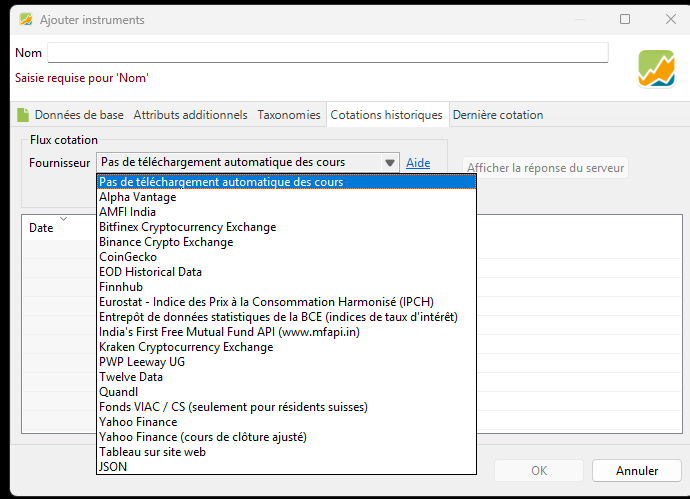
- When looking to previously intruced securities. Porfolio Report source is mentioned as beeing the source provider. Why is this still available there and not for new securities? Do you know? Is this a bug?
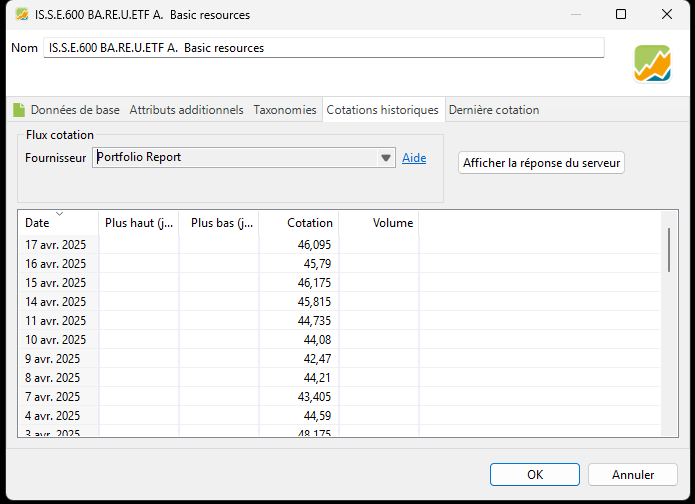
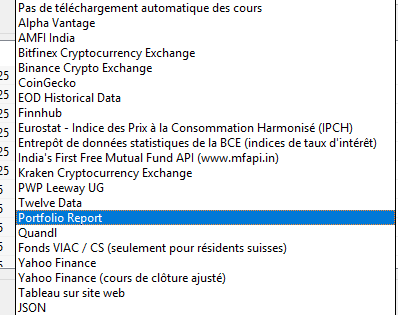
Thank you for your feedback
Have a nice easter WE
No. It is looking in yahoo and portfolio-report.
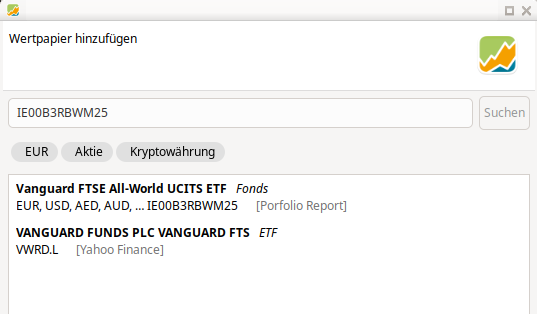
Yes. If you have added an instrument with empty format, which exists on portfolio-report, you have to link/connect it to portfolio-report, before you can choose it for historical quotes.
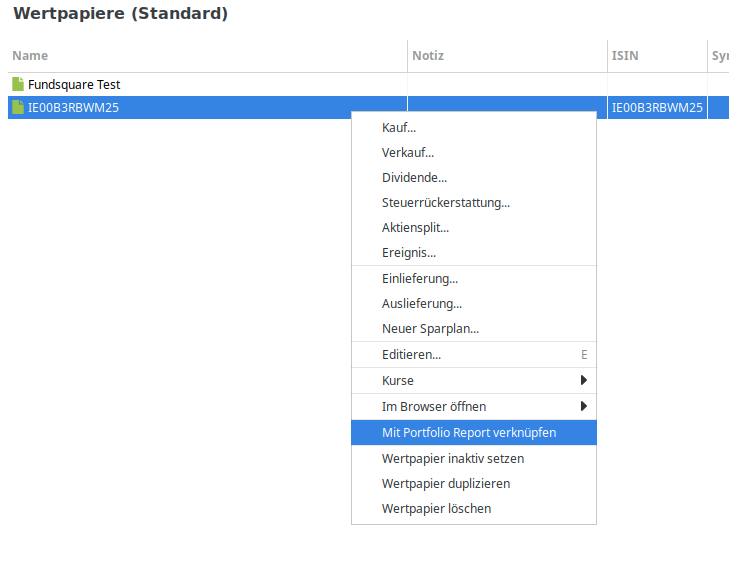
In this case you have to add the URL manually.
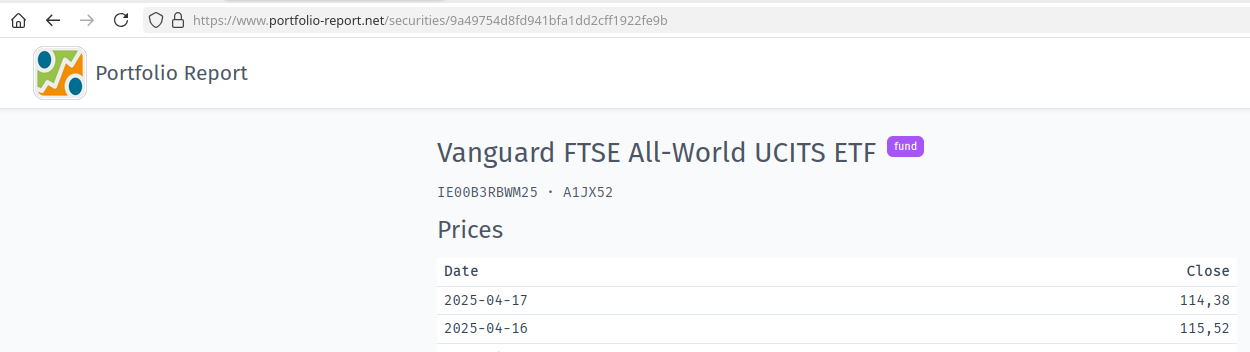

When the instrument is linked/connected to portfolio-report you can choose the source.

Because these instruments are linked/connected to porfolio-report.
No.
Joyeuses Pâques
Thank you ProgFriese
Very helpfull
I tried on a simple security through the first sreen for Amazon ; obviously it worked fine and Portfolio Report quote was indicated. So the automatic link is as you say.
Just for my understanding (because I could not reconcile the german screen)
Where do I get this screenyou showed.
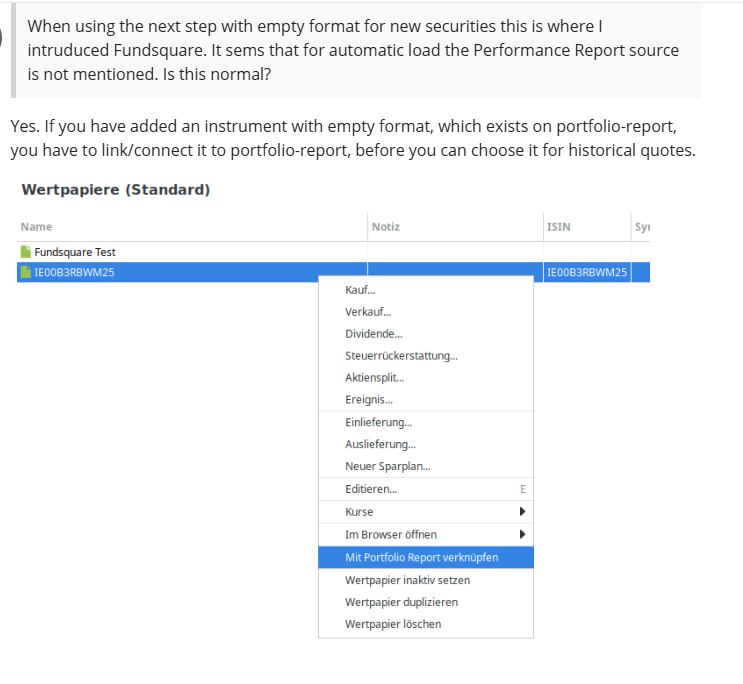
This in order to be able to work between Portfolio Report and Portfolio performance as needed. I just was not able to proceed with the sequence. I suppose you started from the empty security screen.
Thanks for your help
