This is the website AL41 BONO USD 2041 L.A. | Cotizaciones | Rava Bursátil and I want to understand how to find the JSON file that will allow me to get the quotes, thank you
I did sent you the example here: En el Balance de una crtera con distintas moneds las suma directamente sin conversion - #10 by Sn1kk3r5
What have you tried so far and where did you get stuck?
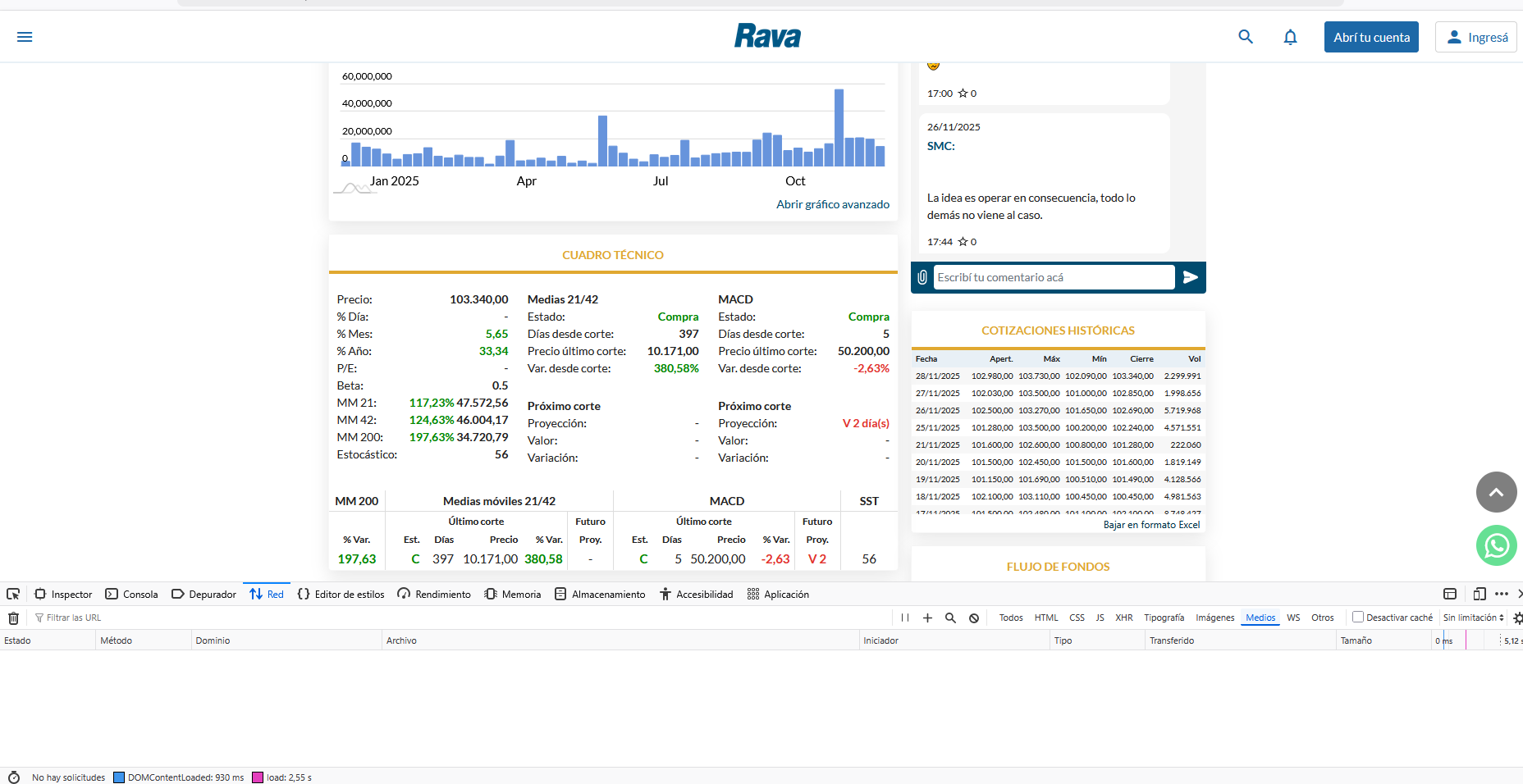
Refesh the page when the below tab is open.
That’s not very helpful, I’m not that tech-savvy. Were you able to get the JSON from that website into the quote history?
Sorry but it works the way I said.
You open the tab Network, once its open you refresh the page and you’ll get the data.
I‘m not at my desk right now, so I can’t provide more details.
But as I said the description I sent you describes what needs to be done.
Okay, I’m not in a hurry, but it would be a big help if you could send me a screenshot of the website I sent you when you’re at your desk so I can see what I might be doing wrong. I’ve read your steps several times and I still can’t figure it out. Thanks again.
So this is a screenshot from Chrome, other browsers might differ in naming a bit.
I load the website.
I open the Developer Tools –> Choose Network and I choose Fetch/XHR (so my results will directly be filtered.
Now I reload the website to get a list objects. Because this feature works like a recorder, it only records once open and websites beeing loaded.
Looks like this:
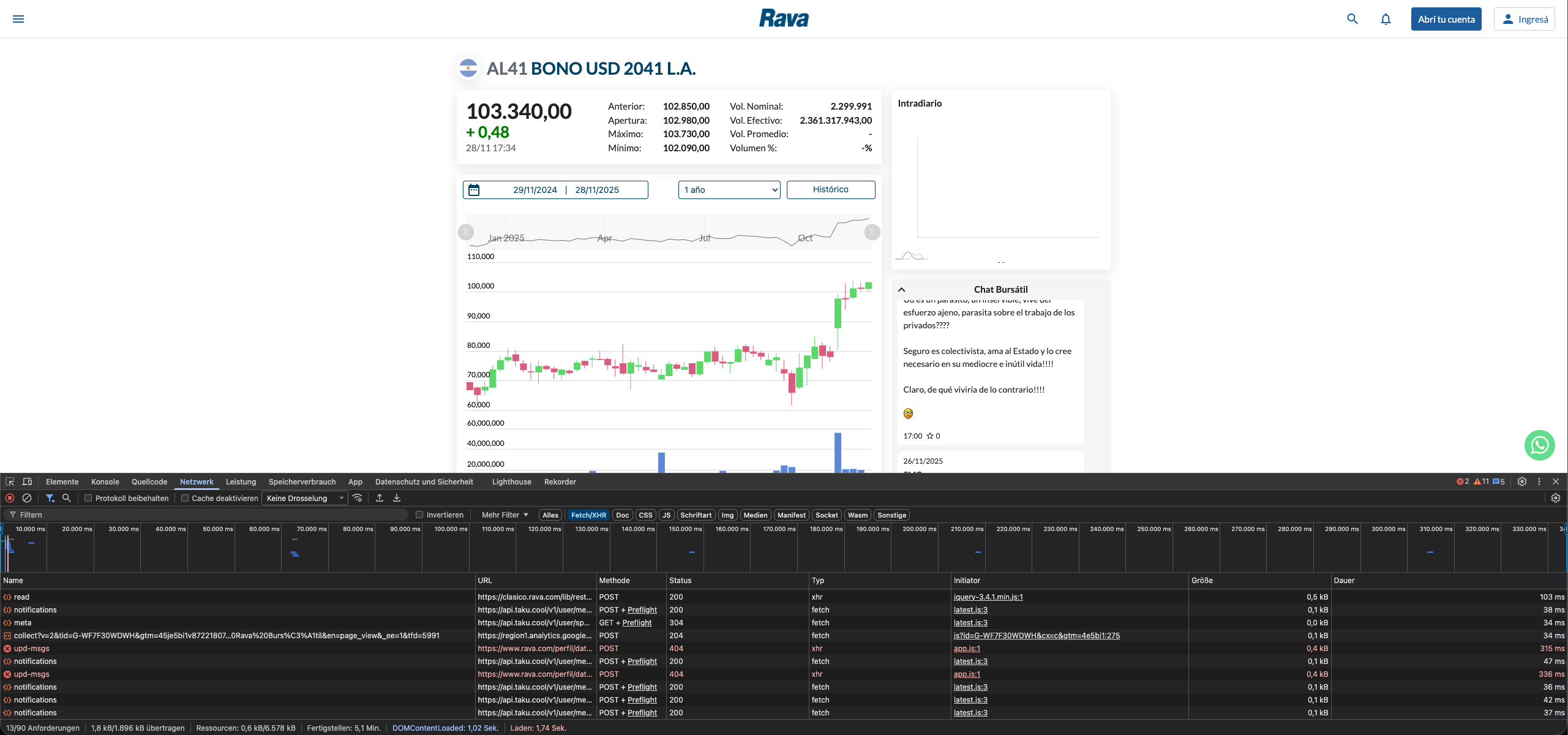
Now I flag the first object and a new tab is loaded. Here you choose “Antwort” which is answer in English.

As I’m looking myself now I see there is A) no valid json availble and B) this is a Bond.
In order to understand how PP deal with bonds, I recommend reading this: Managing bonds - Portfolio Performance Manual
In summary:
- Open the website you want to investigate
- Open the Developper Tools and reload the website
- Investigate objects based on their answer until you’ll find a json return
- Once a json return is found change the tab from Answer to Header. Here you’ll find a URL
- Open the URL in a new Browsertab, you should see the whole json now.
- Copy the complete json and paste it on: https://jsonpathfinder.com/
Everthing else works the way beeing discribed by @ProgFriese
It might take you a little, but you’ll get it! When ever get stuck, don’t get mad and keep patience, take a screenshot and come back to us with a brief discribtion.
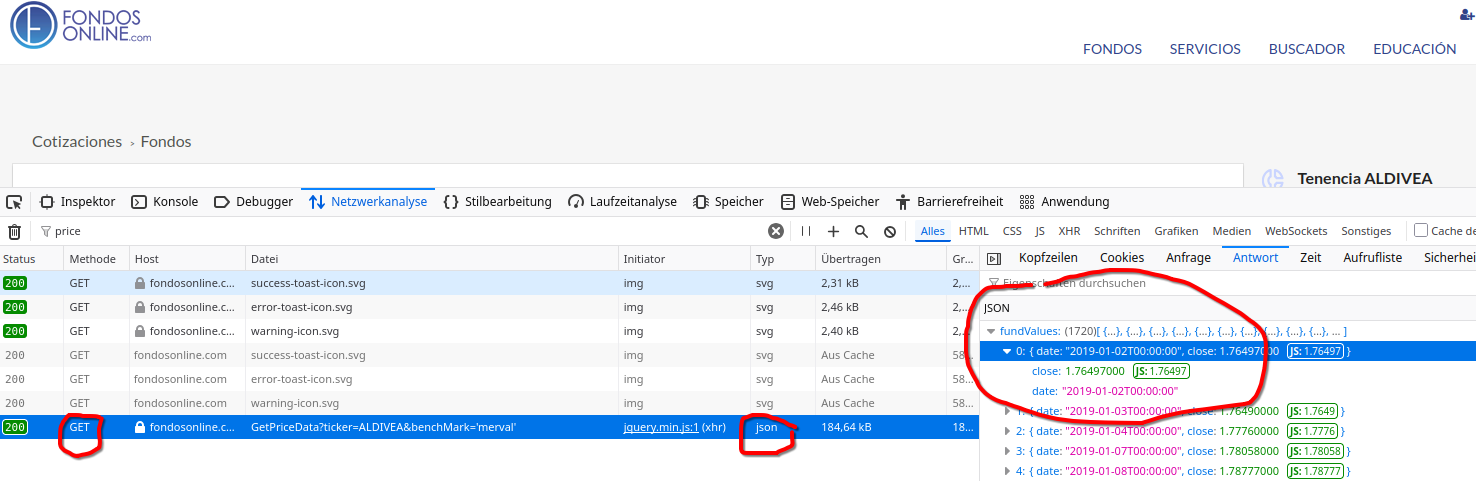
The problem is this: not every website discloses data in a way that PP can understand. First, you need a source that you can address using the GET method (you cannot use POST with PP at the moment), without the need to use valid cookies. Second, you need to have a source that responds in pure JSON format. Pages that obfuscate the data with any kind of JavaScript are not PP-compatible.
This works for example
This is not working in PP
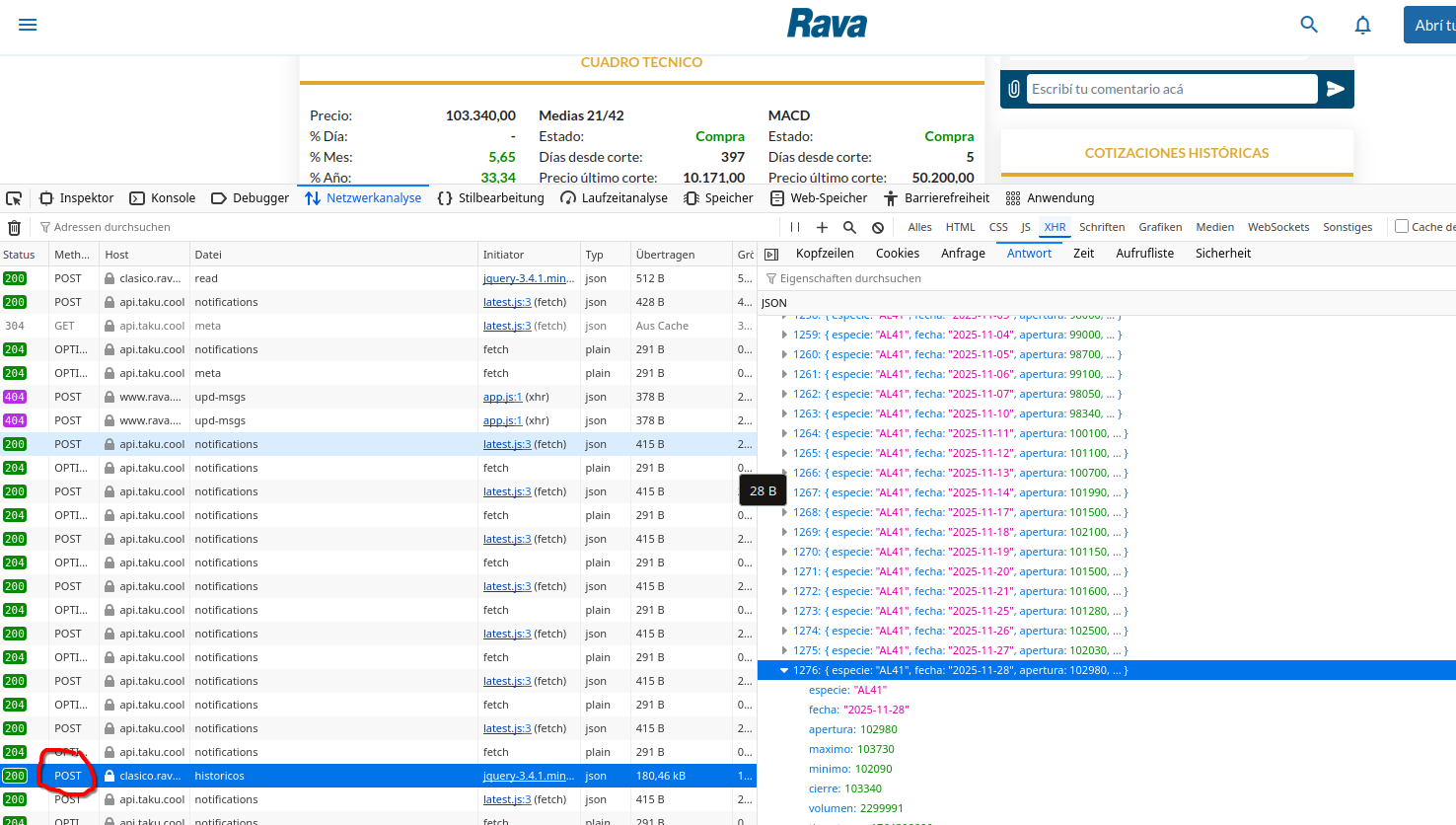
Sometimes the data are declared as “plain” instead of “json”
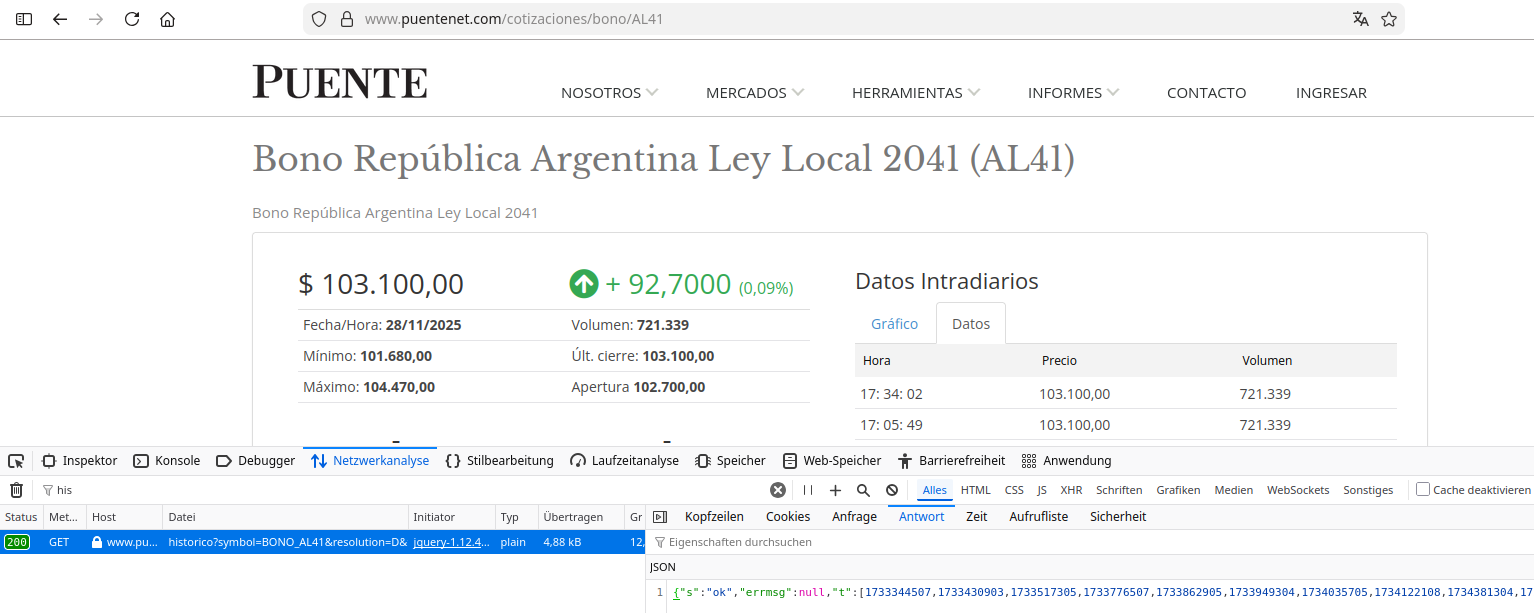
looks good

Let’s have a try
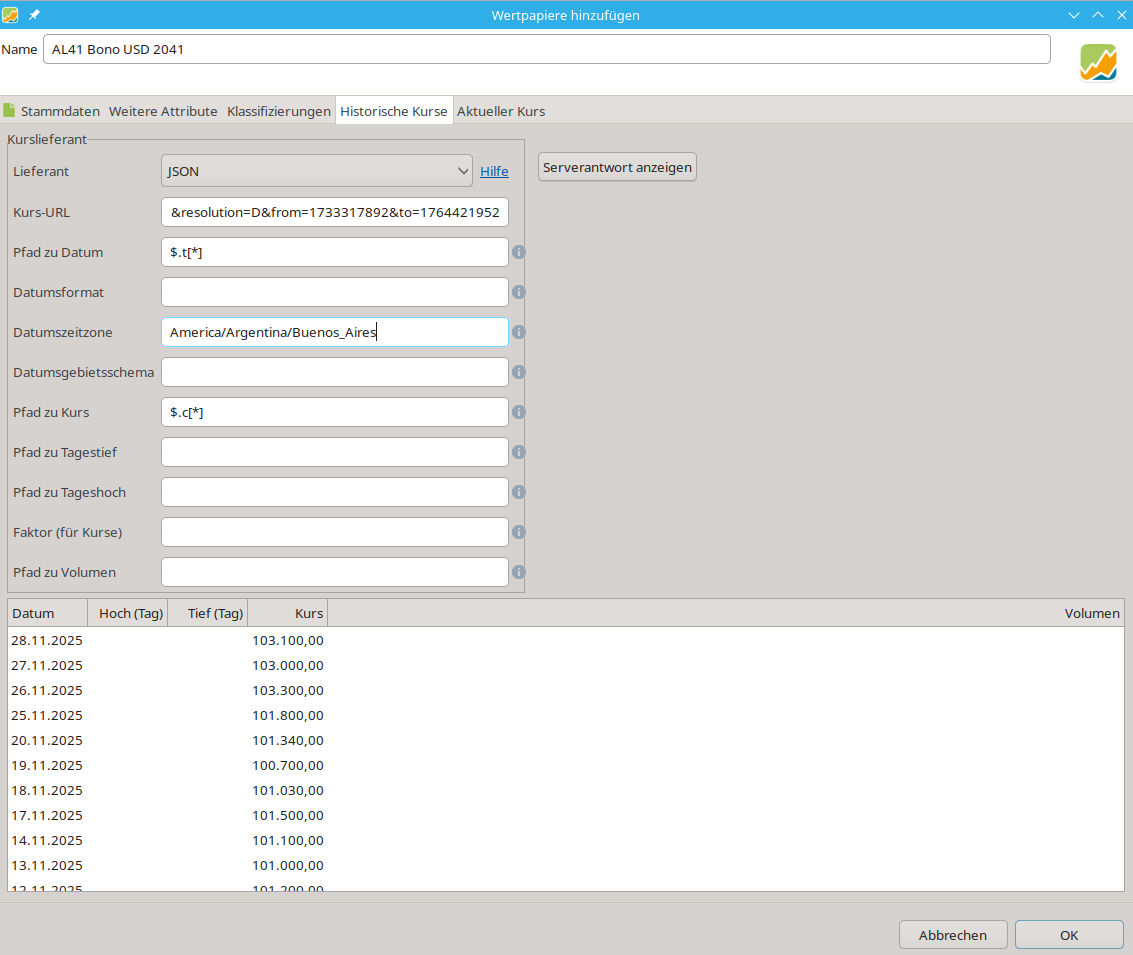
URL: https://www.puentenet.com/cotizaciones/bonos/grafico/historico?symbol=BONO_AL41&resolution=D&from=1733317892&to=1764421952
Path to date: $.t[*]
Path to quote: $.c[*]
Timezone-ID: America/Argentina/Buenos_Aires
The next problem are the absolut values for the timestamps in the URL (from=1733317892&to=1764421952 ). You have to change this absolut values to PP-macros, which means when you start PP next week or next month you have automagical the right values in the URL. Please search the forum/helpguide for “date macro unixtime” or something like that.
New URL: https://www.puentenet.com/cotizaciones/bonos/grafico/historico?symbol=BONO_AL41&resolution=D&from={TODAY:unixtime:-P6M}&to={TODAY:unixtime}
This works in PP but not in a browser.
Great, you’re a real pro. I’m starting to understand quite a bit now, and your information about Puentenet was very helpful. I have a question: where do the following data come from:
Path to date: $.t[*]
Path to quote: $.c[*]
And thank you so much for all your help.
Hi, I wanted to ask you something. The first website is still giving results, but the second, modified one is giving an error, and I don’t see what the problem is. Could you help me with that? Thanks.
Tough, and what exactly is the issue? Which website? Which is working and which not? What was your modification?
This is the initial URL:
URL: https://www.puentenet.com/cotizaciones/bonos/grafico/historico?symbol=BONO_AL41&resolution=D&from=1733317892&to=1764421952
This is the modified URL suggested by a colleague:
https://www.puentenet.com/cotizaciones/bonos/grafico/historico?symbol=BONO_AL41&resolution=D&from={TODAY:unixtime:-P6M}&to={TODAY:unixtime}
I didn’t make any modifications, but it simply stopped working.
Well, both URL’s are correct. However, the second one only inside Portfolio Performance. Not in any Browser.
It was working for me until just now. It seems that the target server is a bit stubborn and sends an HTTP return 403 after several requests.
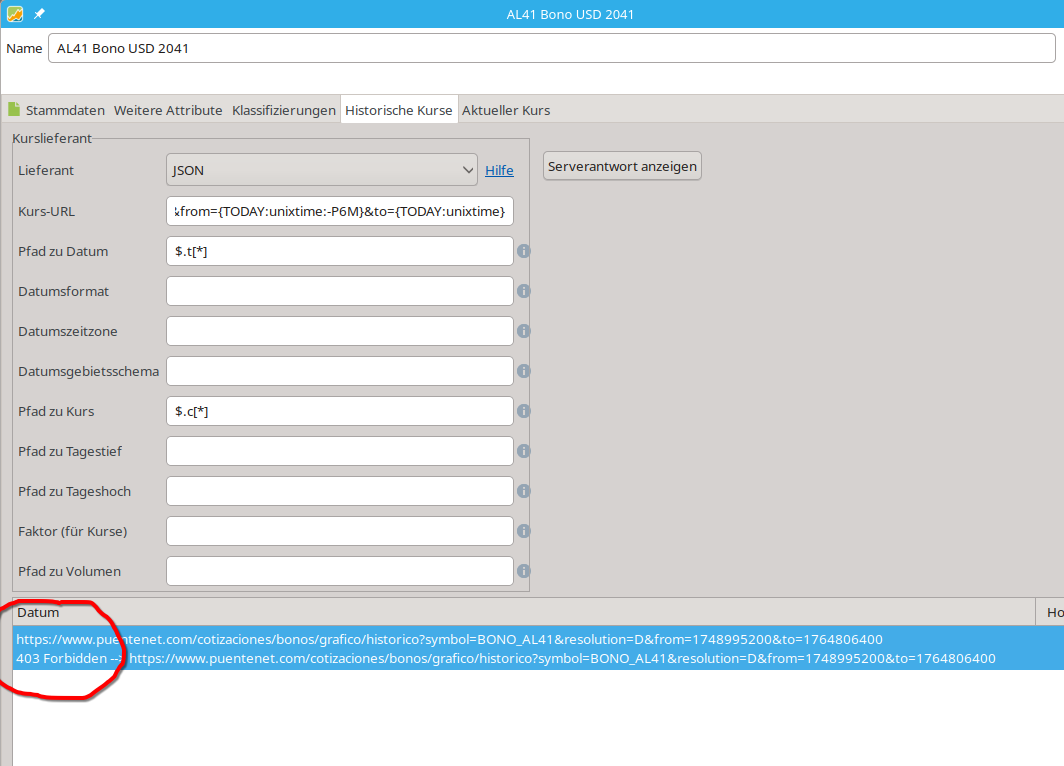
After that, I get this in a browser
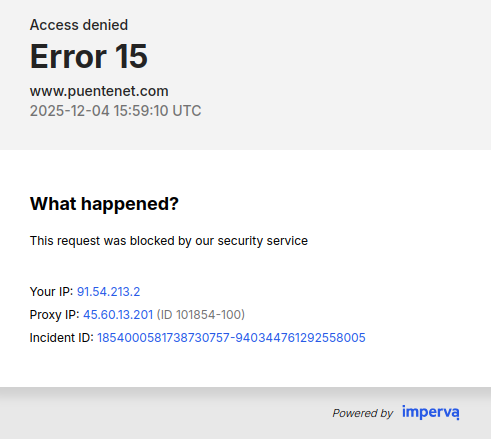
The only thing that would help permanently would be a better source.
Try this
and try to find out what is the JSON-URL, Path to date and so on.
Hello all
First of a want to say THANK YOU to all developers of PP. It is amazing for me how good it is .
I am trying to get historical pricing via JSON for this corporative bond OS AUDASA- 4,400 06/2030 ISIN: ES0211839271 because I cannot find it via: Yahoo Finance, Ariva, Investing ….
I am trying to get it from this URL via JSON:
OS AUDASA- 4,400 06/2030 | BME Exchange
And following the indications of this chat as best as I can. (my software programming knowledge is sooooo limited, sorry)
Developer Tools return
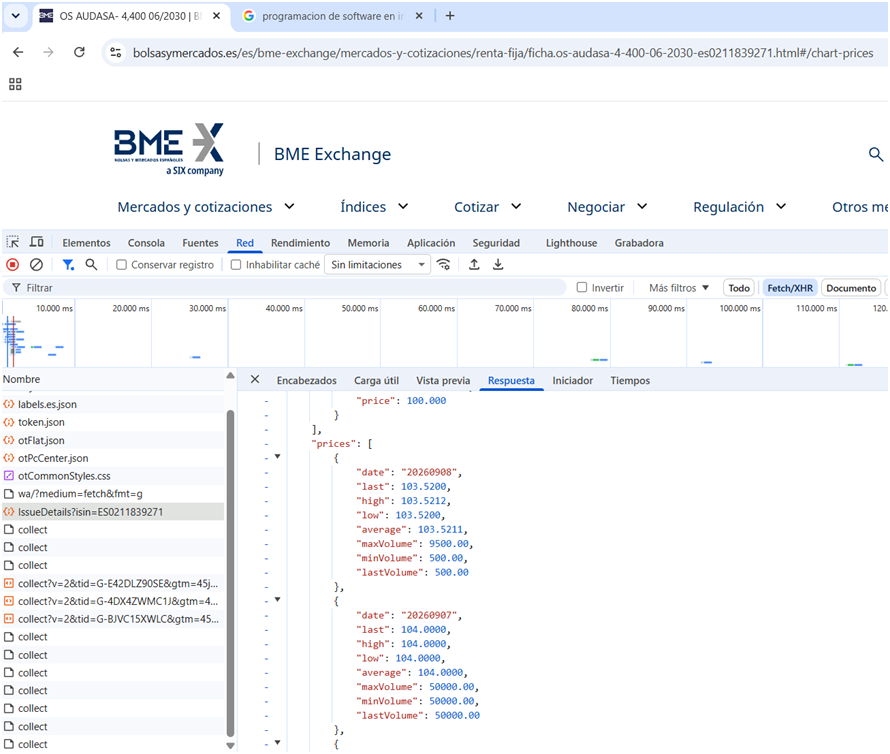
According that the JSON introduced in PP that I introduced
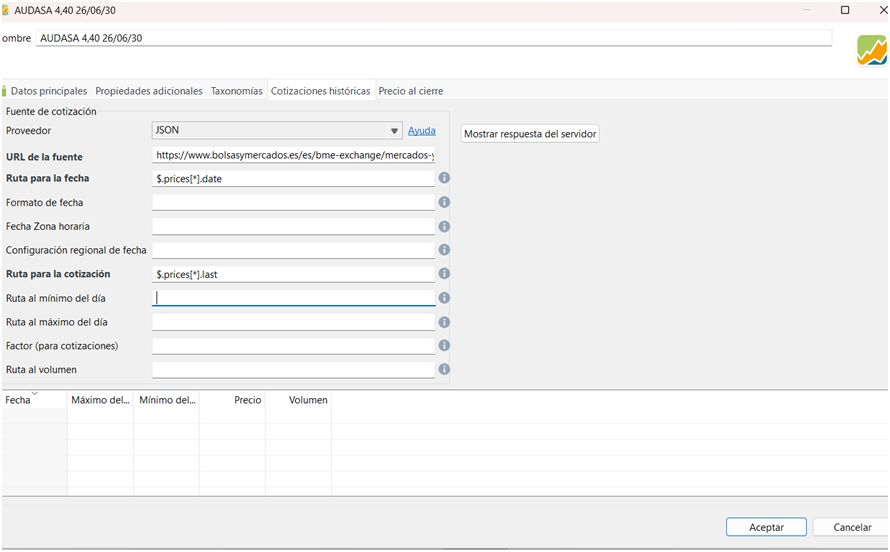
URL: OS AUDASA- 4,400 06/2030 | BME Exchange
Path to date: $.prices[*].date
Path to quote: $.prices[* ].last
And I am not receiving any pricing….
I don´t know, what I doing wrong? Probably I´ve jumped some step….
I hope that any ofyou can help me with this issue too.
THANKS IN ADVANCE
You made like 2 small misstakes.
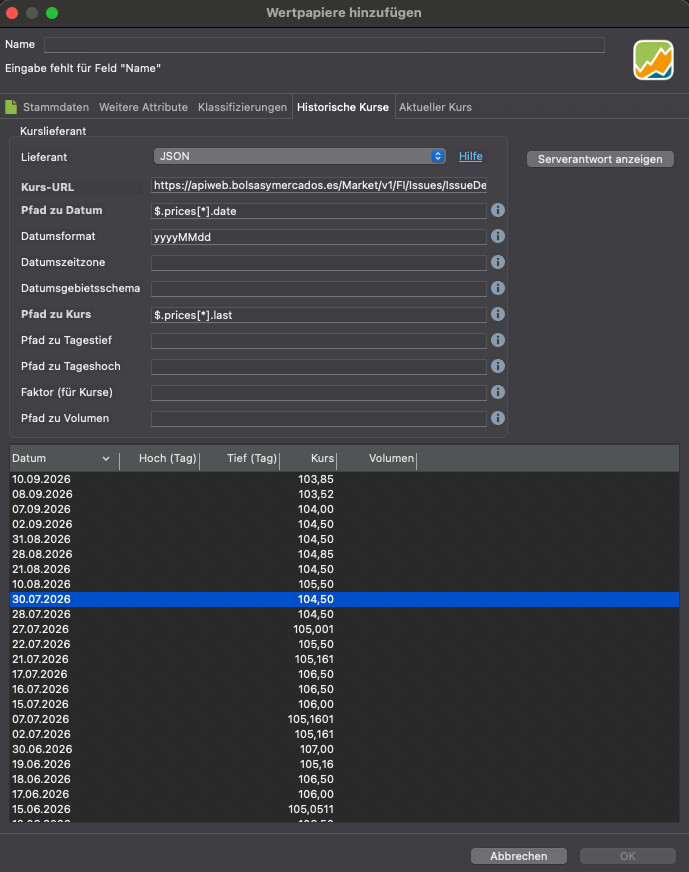
replace your url with this one: https://apiweb.bolsasymercados.es/Market/v1/FI/Issues/IssueDetails?isin=ES0211839271
Your URL is just the website not the endpoint with returns the json.
When you check for the date in json you’ll see 20241121 which means you need to Formato de fetcha as follows: yyyymmDD
And then it’ll work:
THANKS A LOT Sn1kk3r5 !!!
It works perfect now.
This helps me a lot. I think that I understand better now the JSON process .
I´ve saw also which is the step that I´ve jumped too… This one that it was described by you on Nov 202 5.
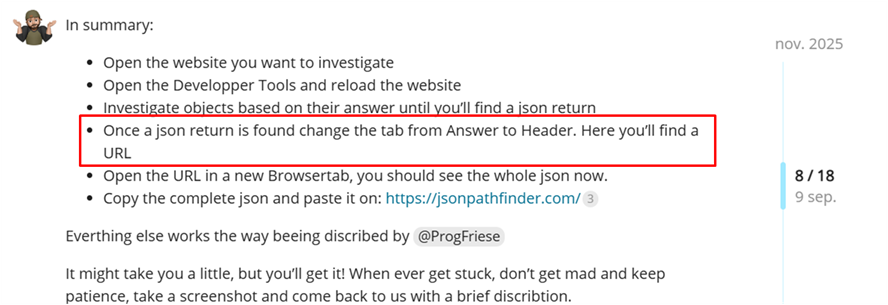
Following this guidance, I have also get historical pricing via JSON for these bon ds.
BARCLAYSBANK OC JAN45 CALL ISIN: XS2935655113
MEDIOBANCA FX 5.21% OCT33 ISIN: XS2678310686
I found the daily price update in Euronext Markets: Real-time Stock Market Data | live web side only. (I can not find them via: Yahoo Finance, Ariva, Inv est ing….)
MB FX OCT33 EUR | XS2678310686 | Euronext exchange Live quotes
But I am not able to find how to program the JSON for them in Euronext because I can not find their pricing list in Developer T ool s return.
So Finally my best approach is to use https://www.borsaitaliana.it webside.
Like this (I am showing only the Barclays case because for the other is the same)
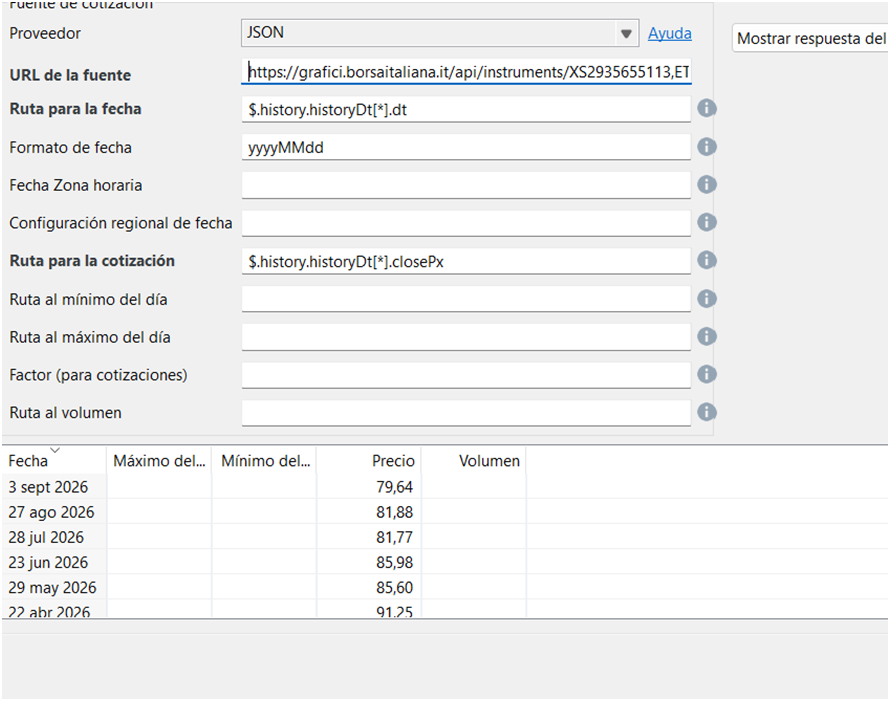
URL:
Path to date: $.history.historyDt[*].dt
Date Forma t: yyyyMMdd
Path to quote: $.history.historyDt[*].closePx
But it is giving a monthly pricing instead of daily. (That is better than nothing and in the worst case I can still update them manually.)
But with the aim to have a better follow up of my portfolio.
Do you have any suggestion to get a daily pricing for these 2 bonds?
THANKS A LOT AGAIN BECAUSE THIS HELP AND THIS AMAZING PP!!
I noticed your links aren’t working, and the format of your post seems a bit off.
It would be great if you could restructure your post and use formatted text. Just look at my reply above.
I’m not sure which bonds you need help with or from which side you’re trying to receive them.
Could you please provide the link and the ISINs?