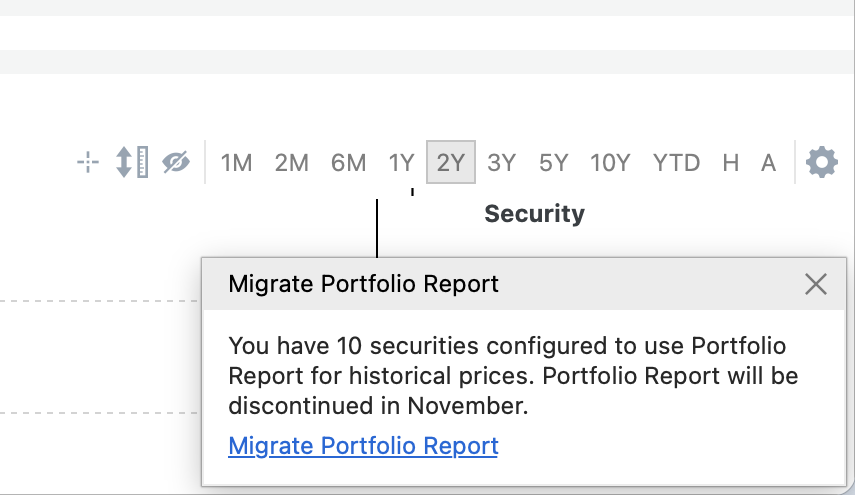
Portfolio Report will be discontinued in November.
This article explains how you can migrate your existing configuration.
There are several options available:
- The built-in price provider also includes XETRA-listed securities.
The migration dialog will suggest a suitable configuration automatically. - For cryptocurrencies, the dialog will suggest CoinGecko as a price source.
This works quite well for a few currencies. If you track many cryptocurrencies, you should create a demo account to increase your data retrieval limit. - You can also use any other source for historical prices.
However, these must be configured manually — there is no automatic setup available.
About the built-in price provider:
- Prices are fetched based on the ticker symbol.
- During migration, however, the system first looks up securities by ISIN, and only then by ticker symbol.
- By default, XETRA is selected as the exchange.
- You’ll need a free Portfolio Performance ID because price data can only be provided to registered members.
You can start the migration directly from the popup:
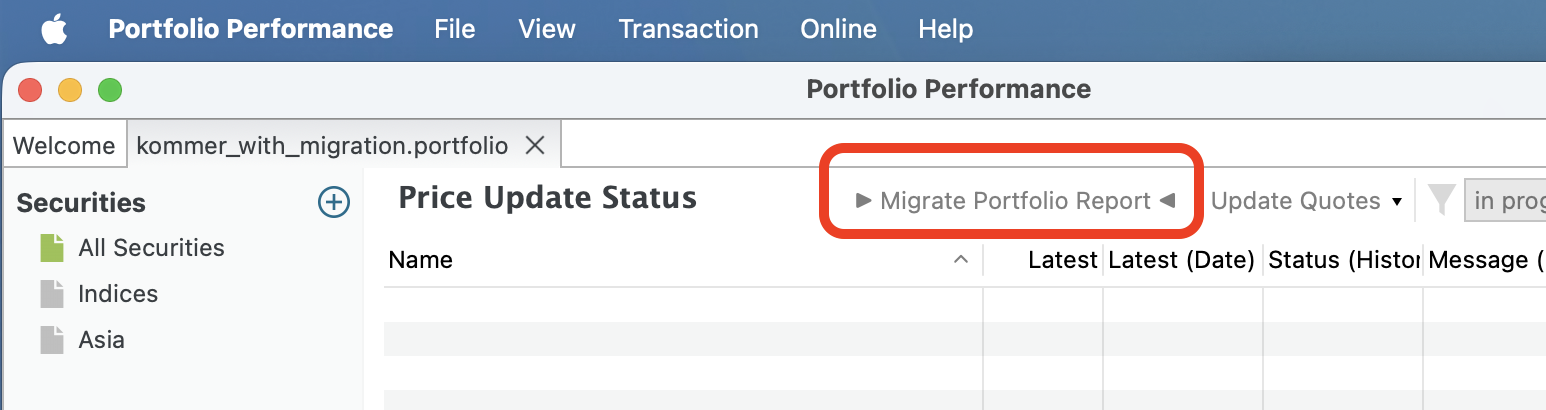
In the “Price Update Status” view, you’ll find a button to start the migration.
This view also opens when you click on the progress bar of a price update.
Alternatively, you can access it from the menu:
File → Tools → Configure built-in price provider instead of Portfolio Report

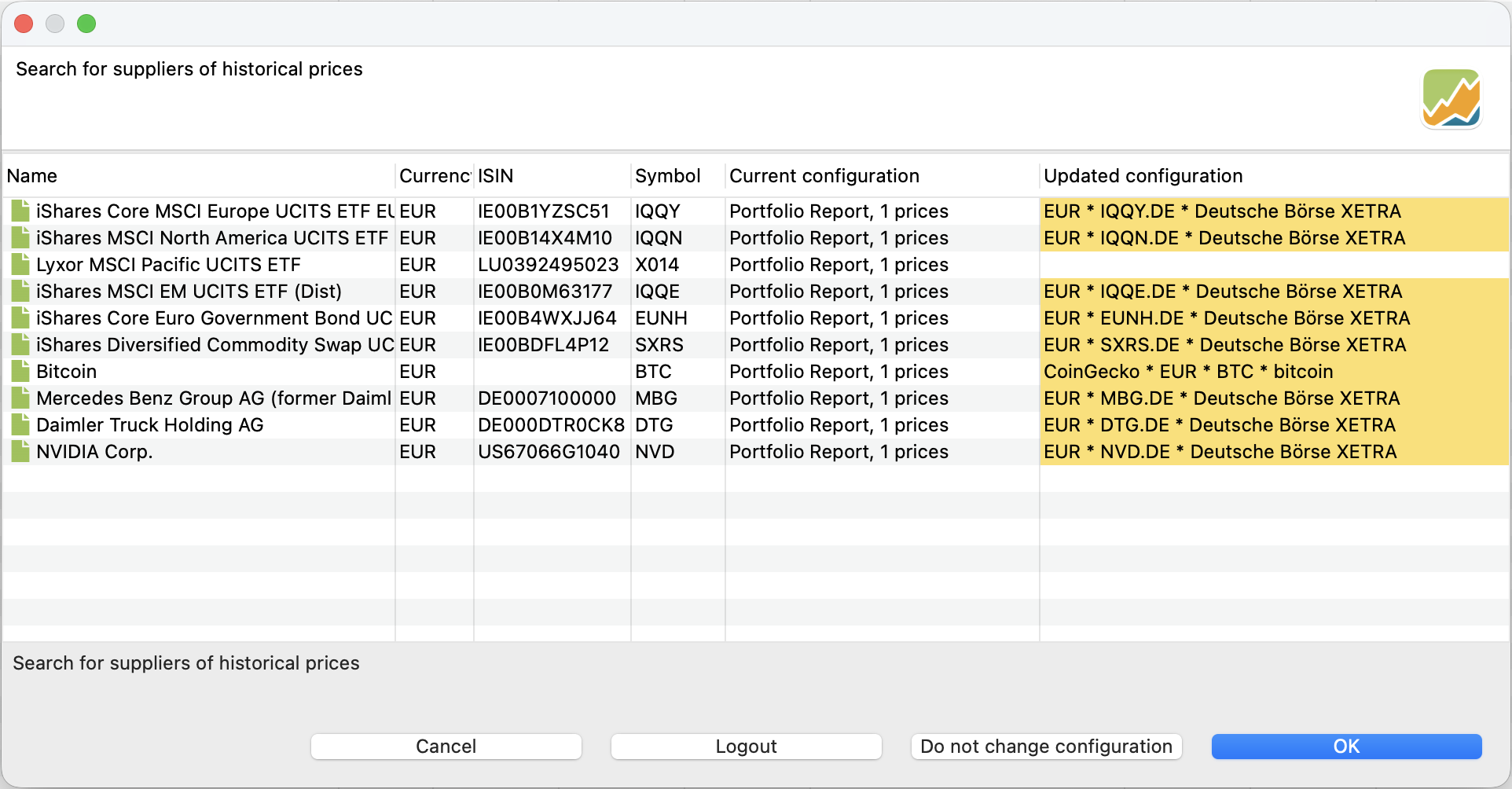
A dialog will open showing the securities that are currently configured to use Portfolio Report.
The search will then suggest the integrated price provider (or CoinGecko for cryptocurrencies).
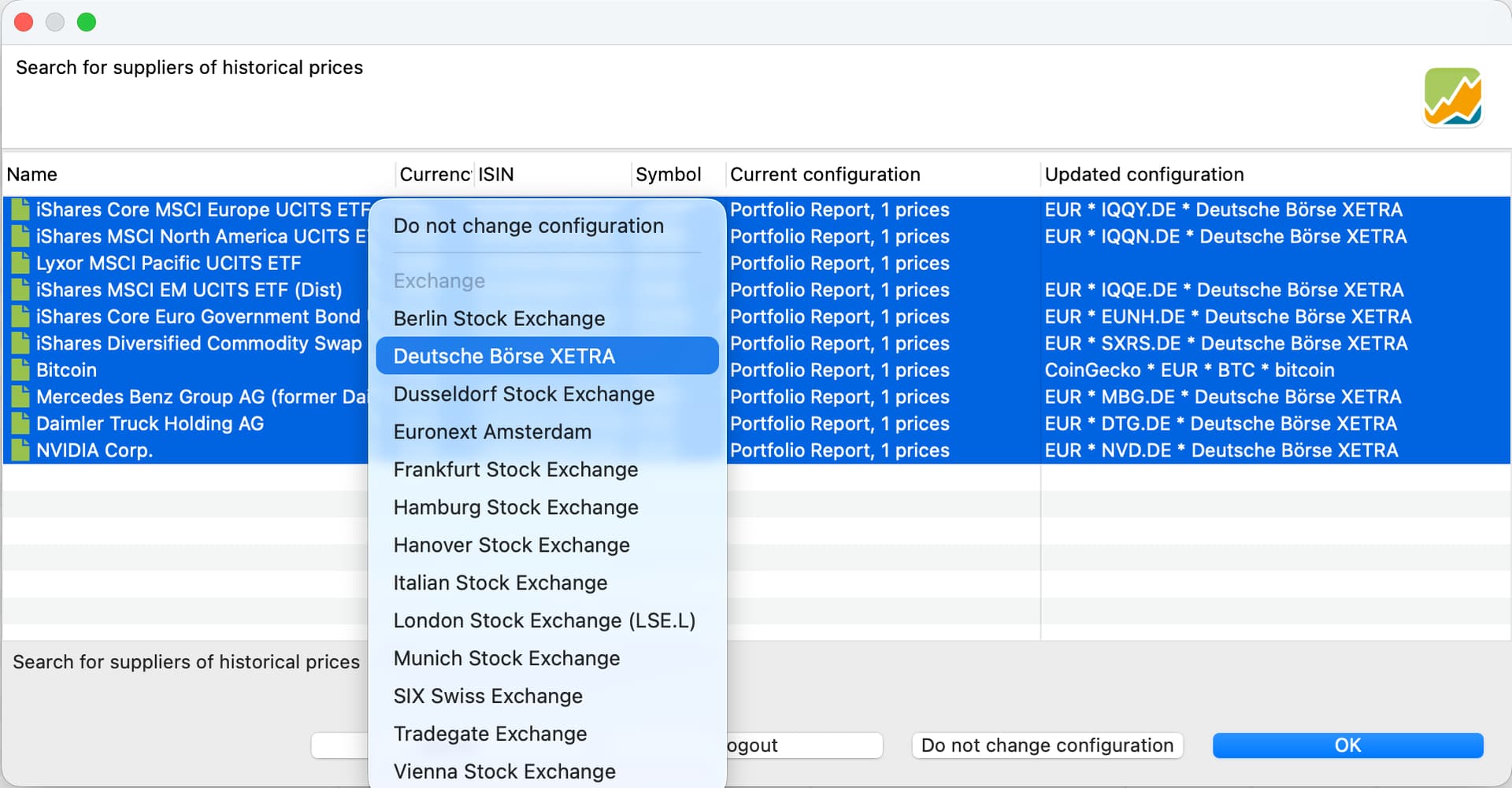
From the context menu, you can select the desired exchange:
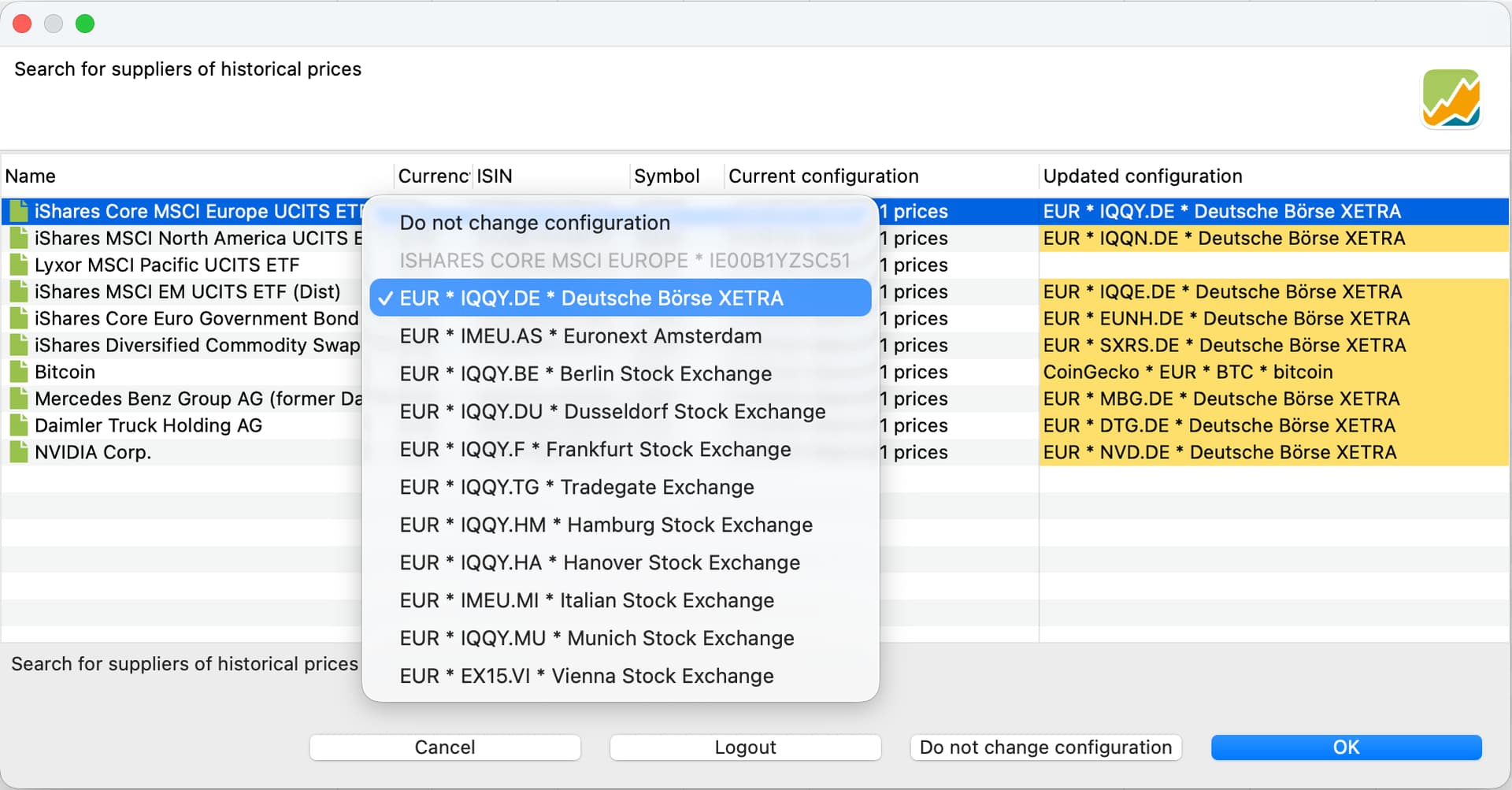
You can also change the exchange for multiple securities at once: